How to Audit Your Backlink Profile Step by Step
A step-by-step process for auditing any site's backlink profile without guesswork.
A backlink audit is the process of pulling every link pointing at a site, checking each one against a set of quality signals, and deciding what to keep, ignore, fix, or remove. Done well, it takes a few hours for a small site and a few days for a large one. Done badly, it turns into an endless spreadsheet that nobody acts on. This guide walks through the process in the order that actually gets a decision made at the end.
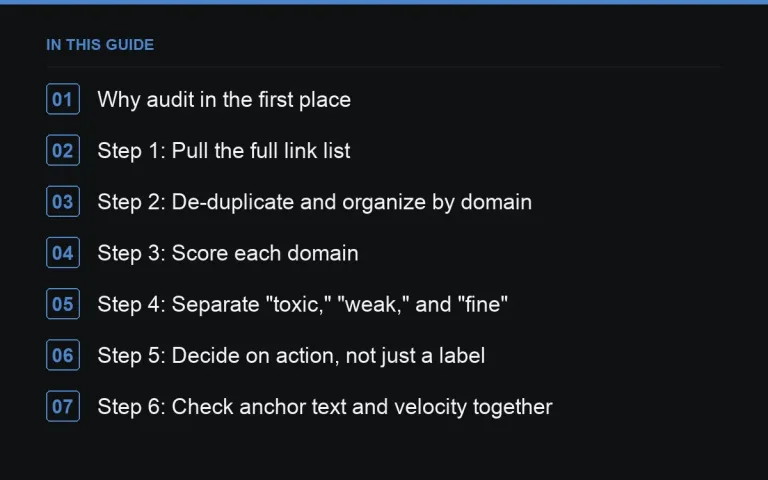
Why audit in the first place
Most sites never look at their backlink profile until something goes wrong: a ranking drop, a manual action notice, or a new SEO hire asking basic questions nobody can answer. Regular audits catch problems earlier and, just as importantly, surface opportunities — old links that could be improved, anchor text that’s drifting in one direction, or a competitor pattern worth copying. An audit is not only about risk. It’s also an inventory.
Step 1: Pull the full link list
Start with as complete a data set as you can get. Combine Google Search Console’s link report with at least one third-party crawler, since no single source sees every link on the web. Export raw data rather than relying on a tool’s summary dashboard — you’ll want to filter and sort it yourself.
- Referring domain, not just referring URL — domains matter more than individual pages
- Target URL on your site
- Anchor text
- Link type (dofollow/nofollow/sponsored/UGC)
- First seen and last seen dates if your tool provides them
Step 2: De-duplicate and organize by domain
A single referring domain might contribute dozens of links. Group by domain first so you’re evaluating sites, not URLs — this is faster and matches how search engines weight things. https://successtoroad.com/blog/auditing-anchor-distribution/ becomes much easier once you’re working at the domain level.
Step 3: Score each domain
Build a simple scoring model rather than relying on a single third-party metric. Useful signals include:
| Signal | What it tells you |
|---|---|
| Organic traffic to the linking site | Whether real visitors exist behind the domain |
| Topical relevance | Whether the link makes editorial sense |
| Outbound link count on the page | Whether it’s a link farm or a normal page |
| Anchor text pattern | Whether it looks manipulative |
| Indexation of the linking page | Whether Google can even see the link |
This is the same thinking behind https://successtoroad.com/blog/risk-scoring-a-placement-before-you-buy/, just applied retroactively instead of before purchase.
Step 4: Separate “toxic,” “weak,” and “fine”
Resist the urge to flag anything unfamiliar as toxic. Most low-value links are simply weak — low traffic, thin content, unrelated niche — rather than actively harmful. Understanding https://successtoroad.com/blog/what-is-a-toxic-link-really/ will save you from disavowing links that were never a problem, and from missing genuine https://successtoroad.com/blog/link-network-and-pbn-detection/ patterns.
Common categories to sort into
- Clean, relevant, keep as-is
- Weak but harmless — leave alone, don’t waste time on them
- Suspicious pattern (network, spam, foreign-language spam) — investigate further
- Broken or lost — candidates for https://successtoroad.com/blog/lost-links-and-reclaiming-them/
Step 5: Decide on action, not just a label
Every link on the audit should end with an action: keep, monitor, request removal, or disavow. https://successtoroad.com/blog/disavow-when-and-when-not/ covers when that last option is actually warranted — it should be rare, not a default response to an unfamiliar domain.
Step 6: Check anchor text and velocity together
A profile can look clean domain-by-domain and still show a pattern when you zoom out — anchor text concentrated on one commercial phrase, or a burst of links that arrived in a single week. Both are worth a dedicated pass; see https://successtoroad.com/blog/auditing-link-velocity/ for the mechanics.
Step 7: Document and repeat on a schedule
An audit that lives only in your head is worth nothing to a client or a future hire. Keep a record of what you found and what you did about it — https://successtoroad.com/blog/documenting-a-backlink-audit/ has a simple template. Set a cadence too; see https://successtoroad.com/blog/how-often-to-audit-backlinks/ for how often makes sense given your link volume.
Common mistakes that slow an audit down
Three habits waste more time than anything else. First, relying on a single data source and treating it as complete, when no crawler sees the whole web — always cross-check against Search Console’s own link report. Second, scoring at the URL level instead of the domain level, which multiplies work without adding insight for site-wide or templated links. Third, treating every flagged link as equally urgent instead of triaging by domain quality first, which means hours get spent on links that were never going to matter either way.
Who should own the audit
For an in-house team, whoever owns organic search performance should also own the audit, even if a specialist agency or freelancer does the legwork. Handing the raw data to someone without context on the site’s history — past migrations, past penalties, past link-building campaigns — means good and bad patterns get missed simply because nobody connects the dots. If you’re an agency running this for a client, make sure you’re briefed on that history before you start rather than discovering it mid-audit.
Where to go next
If you’re buying placements rather than only auditing existing ones, browsing https://successtoroad.com/marketplace/ with DA, DR, traffic and spam-score filters applied gives you the same signals up front, before a link ever goes live.
All link audit and risk guides
- Algorithmic Devaluation vs Penalties: What’s the Difference?
- Auditing Anchor Text Distribution the Right Way
- Auditing Backlinks After a Site Migration
- Auditing Competitor Backlink Profiles for Opportunities
- Auditing Foreign-Language Spam Links
- Auditing Image and Embed Links in Your Backlink Profile
- Auditing Link Velocity: Spotting Unnatural Growth Patterns
- Auditing Links From Expired Domains
- Auditing Links That Come Through Redirected Domains
- Auditing Site-Wide and Footer Links
- Auditing a Publisher’s Guest Post History Before You Pitch or Buy
- Auditing a Site’s Backlink Profile Before You Buy It
- Backlink Audits for E-commerce Sites
- Backlink Audits for Local Businesses
- Backlink Audits for YMYL Sites
- Disavow: When to Use It and When Not To
- Finding Link Networks and PBNs During an Audit
- Finding Lost Links and Reclaiming Them
- How Often Should You Audit Your Backlinks?
- How to Document a Backlink Audit Properly
- Link Rot and Why a Weekly Link Monitor Matters
- Manual Actions and Reconsideration Requests, Explained
- Negative SEO: Auditing for Attacks and Knowing When to Act
- Reporting a Backlink Audit to a Client
- Risk-Scoring a Placement Before You Buy It
- Sponsored Posts Done Wrong: What an Audit Catches
- Tool Categories You Need for a Backlink Audit
- What Is a Toxic Link, Really?
- What to Do When a Publisher Removes Your Link
- Why Internal Links Belong in Your Backlink Audit Too
Frequently asked questions
How long does a full backlink audit take?
For a small site with a few hundred referring domains, expect a few hours once data is pulled. Larger, older sites with tens of thousands of links can take several days, especially if a manual action is involved and every domain needs individual review.
Do I need paid tools to run an audit?
You can start with Google Search Console, which is free and shows real crawled links. A paid crawler adds coverage, since no two tools see the same full set of links, but it isn't mandatory for a first pass.
How often should I re-audit a site?
Quarterly is reasonable for most sites; monthly if you're actively building links or the site has had past penalty issues. See the dedicated post on audit cadence for a fuller breakdown by site type.
Should I disavow everything that looks weak?
No. Weak links that simply have low traffic or thin content are not the same as manipulative ones, and disavowing them can remove links that carry small positive value while doing nothing to reduce actual risk.
Put it into practice
Filter 54,483 websites by DR, traffic, niche and price, and order with escrow — you pay only after the link is live.
Browse the marketplace