Tool Categories You Need for a Backlink Audit
You don't need every tool on the market — just one from each of these functional categories.
The tools landscape for backlink audits is crowded, and it’s easy to end up either under-tooled (relying on a single source that misses most of the web) or over-tooled (paying for five overlapping platforms that all do roughly the same thing). What actually matters is covering each functional category once, not accumulating tools.
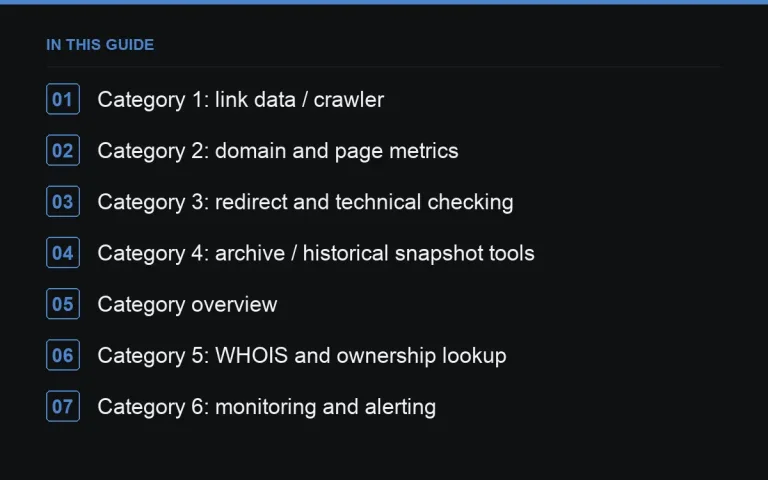
Category 1: link data / crawler
The foundation of any audit — a tool that crawls the web and maintains an index of who links to whom. No single crawler sees every link that exists, since coverage depends on crawl frequency and scope, which is why combining at least one paid crawler with Google Search Console’s own link report (free, and based on what Google has actually crawled) gives more complete coverage than either alone.
Category 2: domain and page metrics
Authority-style scores, estimated traffic, and spam scoring, usually bundled with the crawler tool itself. Use these as a fast first filter during https://successtoroad.com/blog/backlink-audit-guide/, not as the sole basis for a keep/disavow decision — combine with the manual signals discussed in https://successtoroad.com/blog/what-is-a-toxic-link-really/.
Category 3: redirect and technical checking
Tools that trace redirect chains, check HTTP status codes, and confirm whether a page is actually live. Essential for https://successtoroad.com/blog/redirected-domain-link-audits/ and for verifying links after a https://successtoroad.com/blog/auditing-after-a-site-migration/.
Category 4: archive / historical snapshot tools
Services that store historical snapshots of web pages, useful for confirming what a linking page looked like when a link was originally placed versus what it shows now — central to evaluating https://successtoroad.com/blog/links-from-expired-domains/ and repurposed domains generally.
Category overview
| Category | Primary use in an audit |
|---|---|
| Link crawler/index | Building the full referring domain list |
| Search engine’s own link report | Ground-truth cross-check against the crawler |
| Domain/page metrics | Fast first-pass filtering |
| Redirect/status checker | Tracing chains, confirming live status |
| Archive/snapshot tool | Historical content comparison |
| WHOIS lookup | Registration date and ownership signals for network detection |
| Monitoring/alerting | Ongoing weekly checks on key placements |
Category 5: WHOIS and ownership lookup
Used mainly for https://successtoroad.com/blog/link-network-and-pbn-detection/ work — checking registration dates and hosting patterns across suspected network domains.
Category 6: monitoring and alerting
Distinct from a full crawler, this category focuses on ongoing checks of specific pages or domains you’ve already identified as important, feeding directly into the practice described in https://successtoroad.com/blog/link-rot-and-weekly-monitoring/.
Building a minimal, sufficient stack
For most practitioners, one solid link crawler with built-in metrics, free access to the relevant search engine’s own link report, and a way to check redirects and archives covers the great majority of audit needs. Add WHOIS lookups and dedicated monitoring only once you’re regularly doing network detection or managing paid placements that need ongoing verification.
Avoiding tool sprawl
It’s easy to accumulate subscriptions to multiple tools that all overlap heavily in the same functional category, usually because each one was added to solve a specific one-off problem without checking whether an existing tool already covered it. Periodically review your actual tool stack against the categories above and consolidate where there’s clear overlap — this is a genuinely useful side benefit of thinking about tools by function rather than by brand name.
Exporting and owning your own data
Whichever tools you use, get in the habit of exporting your link data periodically rather than relying purely on a live dashboard. A tool can change its data retention policy, get discontinued, or simply become unaffordable, and having your own historical exports means you don’t lose the ability to compare past and present when that happens. This is a small habit that pays off significantly the first time you actually need historical data a tool no longer shows you.
Evaluating a new tool before adopting it
When considering adding a new tool to your stack, be specific about which gap it actually fills rather than being swayed purely by an impressive feature list. Ask what functional category it belongs to from the list above, whether an existing tool already covers that category reasonably well, and whether the new tool’s unique strength is worth the added cost and the added complexity of managing another login and export process.
Standardizing tools across a team or agency
If more than one person runs audits within the same organization, standardize on the same core toolset across the team rather than letting each person default to whatever they personally prefer. This makes findings comparable across sites and audits, simplifies training for anyone joining the process later, and avoids the situation where two people reach different conclusions about the same site purely because they used different data sources.
A pragmatic closing note
None of these categories require the most expensive option on the market to be useful — a competent, moderately priced tool in each category, used consistently, will outperform an expensive but rarely reviewed dashboard. Consistency of use matters more than any single tool’s feature list.
Where to go next
A marketplace like https://successtoroad.com/marketplace/ that surfaces DA/DR, traffic, and spam-score data directly in its listings reduces how much separate tooling you need just to evaluate a prospective placement before buying.
Frequently asked questions
Do I need more than one link crawler tool?
It helps, since no single crawler indexes every link on the web, and coverage gaps are common. Combining one paid crawler with your search engine's own free link report catches more than either alone.
Is a WHOIS lookup necessary for every audit?
Not for a routine audit. It becomes useful specifically when investigating suspected link networks or expired-domain patterns, which isn't every audit cycle for most sites.
What's the difference between a crawler and a monitoring tool?
A crawler builds a broad picture of your entire link profile periodically. A monitoring tool checks specific, already-known pages or domains continuously for changes, which suits high-value placements rather than full-profile discovery.
Can I run a decent audit with only free tools?
Yes, to a reasonable extent — Search Console's link report, archive snapshot tools, and basic redirect checkers are all free and cover a meaningful share of the process, though coverage will be narrower than with a paid crawler added.
Put it into practice
Filter 54,483 websites by DR, traffic, niche and price, and order with escrow — you pay only after the link is live.
Browse the marketplace