Resource Page Link Building: A Step-by-Step Guide
Resource pages exist to link out. If your content genuinely belongs on one, getting added is one of the cleanest links you can earn.
A resource page is a page that curates useful links on a topic: “helpful resources for new parents”, “tools for small business owners”, “further reading on climate data”. Its whole purpose is to link out, which makes it one of the few link types where asking directly is a completely normal thing to do. The catch is that most resource pages are curated by someone who cares about the page staying useful, so a weak pitch for a weak resource gets ignored, and a good pitch for a thin page gets ignored too. The method below is about matching the right content to the right page and asking in a way that’s easy to say yes to.
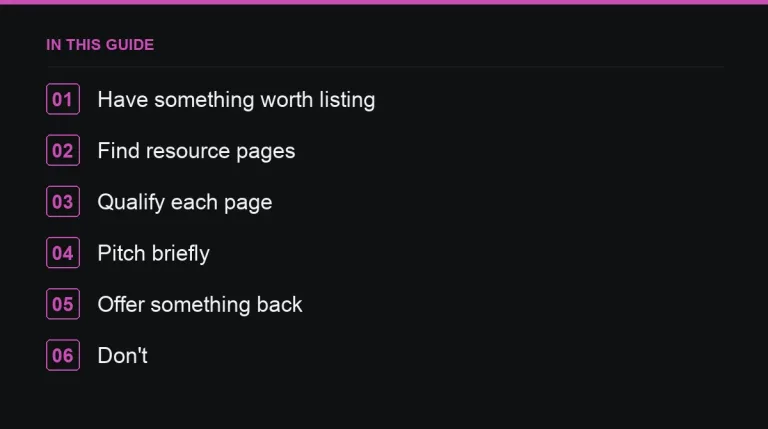
1. Have something worth listing
Resource page owners add pages that help their readers: guides, tools, datasets, templates, calculators. A product page, a landing page or a thin 400-word post will not be added, no matter how well you pitch it. If you don’t already have a suitable asset, the honest move is to build one before you start outreach rather than force-fit an existing page. See content that earns links on its own for what actually qualifies, and writing a content brief if you need to commission it.
2. Find resource pages in your niche
Search operators do most of the early work. Try your topic combined with phrases like “useful resources”, “helpful links”, inurl:resources, or intitle:”further reading”. Run several variations of your core topic, not just one, since niches use different conventions for naming these pages.
A second source is your competitors’ backlink profiles: many of the links pointing at their guides and tools sit on exactly this kind of page. Pulling a competitor backlink analysis and filtering for pages with “resources” or “links” in the title or URL turns up prospects you’d never find through search alone.
3. Qualify every page before pitching
- Is it maintained? Check for dead links and a recent update date.
- Is it genuinely editorial, or a disguised paid links page?
- Would your resource actually fit alongside what’s already listed?
- Does the site have real authority, traffic and relevance to your niche? Run it through the checklist in how to evaluate a guest post site — the same criteria apply here.
Cutting a long list down to the pages that pass all four checks is the single biggest driver of a good hit rate. A short list of well-matched pages beats a long list of maybes.
4. Pitch briefly and specifically
The strongest resource page pitches are short, name a specific existing entry on the page, and explain clearly what your resource adds for their readers. A workable structure: greet by name, mention the page and something specific on it, describe your resource and the exact benefit to their audience, link it, and close without pressure. Personalising the second sentence — naming one resource already on the page and why yours complements it — is what separates a reply from a delete.
5. Offer something back
If you notice broken links while reviewing the page, mention them in the same email. It costs you nothing, it’s genuinely useful to the page owner, and it meaningfully increases your reply rate. This overlaps with broken link building, and some of your best resource-page wins will come from that exact combination: you flag a dead link and offer your page as one possible replacement among several.
6. Track and follow up once
Resource page owners are often volunteers, academics or small teams, so replies can take weeks. Keep a simple tracker of pages pitched, dates and outcomes, and send a single polite follow-up after a week or two — more detail on timing and wording is in outreach follow-ups. Don’t chase harder than that; a page that ignores two emails isn’t going to add you on the third.
What not to do
- Offer payment to institutional page owners — schools, libraries, government and nonprofit sites in particular treat this as a serious integrity issue.
- Mass-send the same template to hundreds of pages; it’s the fastest way to get your domain blocked by outreach spam filters.
- Pitch resources that don’t genuinely fit the page’s theme just because the domain has strong metrics.
- Ignore the difference between a real resource page and a page built purely to sell “resource” placements — the second kind carries little SEO value and some risk.
Where this fits in a wider link strategy
Resource pages are rarely the biggest link source for a site, but they’re low-risk, cheap to pursue, and they compound: a well-built resource that lands on a handful of niche resource pages continues attracting new links passively for years. If you’d rather skip the search-and-qualify step for a portion of your outreach, publishers offering placements directly are listed with metrics in the marketplace, filterable by niche and language so you can match sites to your topic quickly.
Where to go next
Pair resource page work with reclaiming your own dead links and a regular competitor backlink analysis to keep a steady supply of qualified prospects. If you’re building outreach at scale, see marketing-focused publishers for sites that regularly curate this kind of list.
Frequently asked questions
What makes a good resource page link?
A maintained page on a relevant, trusted site that curates genuinely useful links for its readers, updated recently and free of obvious paid placements.
How many resource page pitches succeed?
Success rates vary widely by niche, but relevant, personalised pitches for genuinely useful resources convert far better than generic templates sent at volume.
Can I pitch a product page to a resource page?
Rarely successfully. Pitch a guide, tool, dataset or reference page that helps the page's readers rather than a page designed to sell.
Should I pay for a resource page listing?
Avoid paying institutional or editorial resource pages; it undermines the trust that makes those links valuable in the first place.
Put it into practice
Filter 54,483 websites by DR, traffic, niche and price, and order with escrow — you pay only after the link is live.
Browse the marketplace