Reclaiming Links to Your 404 Pages
Old URLs that now 404 often still have backlinks. Redirecting them recovers link value in minutes.

Over time, every site deletes pages, restructures URLs and migrates platforms. Backlinks pointing at those old addresses now land on error pages, and the value those links represented is effectively lost until someone fixes it. Reclaiming them is often the fastest link building win available on any given site, because the hard part — earning the link in the first place — has already happened. All that’s left is a technical fix, which makes this one of the highest-return hours you can spend on a site’s link profile.
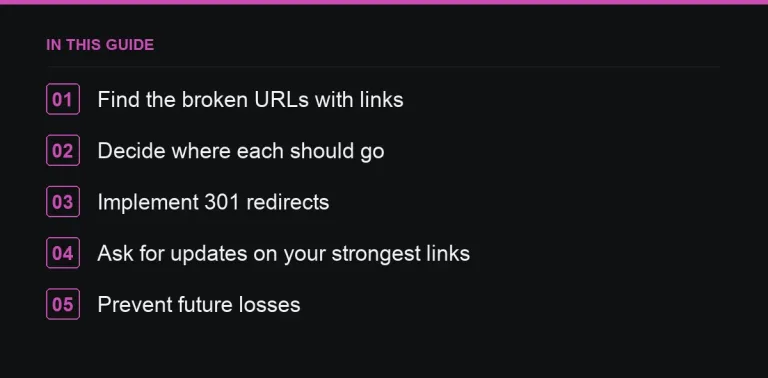
Finding the broken URLs that still carry links
- In your SEO tool, filter your own site’s backlinks by target URL status and isolate everything returning a 404 or 410.
- In Search Console, check the page indexing report for “Not found (404)” pages, then cross-reference which of those have any backlinks at all before spending time on ones that don’t.
- After any migration or replatforming, compare the full list of old URLs against the new URL structure systematically rather than relying on memory of what moved where.
Deciding where each URL should redirect
| Old page | Redirect to |
|---|---|
| Content that simply moved | Its new URL, directly, with no intermediate hop |
| A deleted product | The closest current category or a genuine replacement product |
| An outdated guide | The current guide covering the same topic, if one exists |
| Nothing relevant exists any more | Consider recreating the page if the backlinks pointing at it are genuinely valuable |
Avoid the temptation to redirect everything indiscriminately to the homepage. Search engines can treat a large volume of irrelevant redirects roughly the same way they’d treat 404s, which defeats the purpose of doing this work at all.
Implementing the redirects correctly
Use permanent 301 redirects, one hop, going straight to the final destination URL. Avoid redirect chains like old URL to an interim URL to the final new URL — each extra hop adds a small amount of friction and risk, and it’s avoidable with a little planning. See the technical SEO checklist before link building for the wider set of technical basics worth confirming alongside this.
Ask for direct updates on your strongest links
For your highest-value links specifically — high-authority sites, particularly relevant anchor text, or links from sites you have an existing relationship with — it’s worth also emailing the site owner directly and asking them to update the link to point at the new URL. A direct, updated link is technically cleaner than a redirect and removes any dependency on the redirect staying in place indefinitely.
Preventing future losses
- Keep URLs stable whenever you update or refresh existing content rather than restructuring the path unnecessarily; see refreshing old content to recover rankings for how to update content without breaking its URL.
- Plan a full redirect map before every migration, rather than discovering gaps afterwards through a drop in traffic.
- Check for newly created 404s with existing backlinks on a monthly schedule so the list never grows large enough to become a daunting backlog.
The same thinking, applied to other people’s sites
Once you’ve reclaimed your own broken links, the identical logic applies outward: other sites have their own dead pages with backlinks pointing at them, and offering your content as a replacement is exactly the mechanic behind broken link building. The two tactics share almost all of their tooling and just point in different directions — inward at your own site first, then outward at others once the easy internal wins are done.
Auditing at scale
On a large or long-running site, the number of 404s carrying backlinks can run into the hundreds, which makes prioritisation essential. Sort candidates by the number of referring domains pointing at each dead URL and work through the highest-value ones first rather than trying to fix everything in one pass. For very old sites that have been through multiple redesigns, it’s also worth checking for redirect chains left over from a previous migration — a URL that already redirects twice before reaching its destination is a good candidate to flatten into a single hop while you’re in there fixing 404s anyway.
Why this gets overlooked
Link reclamation isn’t glamorous, doesn’t require outreach, and doesn’t produce a satisfying “we earned a new link” narrative for a report — it’s just a technical fix. That’s precisely why it gets skipped in favour of flashier tactics like the skyscraper technique or visual asset link building, even though it’s frequently the single highest-return item on the list once you actually check for it.
Where to go next
Pair this with a regular content audit so URL and content changes are tracked together, and read competitor backlink analysis to see whether your competitors have unreclaimed 404s of their own worth targeting. If you need to replace lost link equity with new placements while you fix redirects, publishers are searchable by niche in the marketplace.
Frequently asked questions
Should I redirect all 404s to the homepage?
No. Redirect each one to the most relevant existing page; irrelevant homepage redirects at volume may be treated similarly to 404s by search engines.
301 or 302 for reclaimed links?
Use a 301 for any permanent move, since it signals the change is final and passes the link's value to the new URL properly.
How often should I check for 404s with backlinks?
Monthly for routine maintenance, and always immediately after any migration or large content restructuring project.
Is it worth emailing site owners to update a redirected link?
For your highest-value links, yes — a direct updated link is cleaner than relying on a redirect staying in place indefinitely.
Put it into practice
Filter 54,483 websites by DR, traffic, niche and price, and order with escrow — you pay only after the link is live.
Browse the marketplace