Link Building Tools: What Each Type Does
You don't need twenty tools. Here's what each category of link building tool does and which ones actually matter.
Link building has a crowded tool market, and it’s easy to end up paying for five overlapping subscriptions that each do one job adequately. Most teams need a small, well-chosen toolkit rather than a subscription to everything. This guide describes the categories and what to look for in each, rather than ranking specific products, since pricing and features change too often for a guide like this to stay accurate.
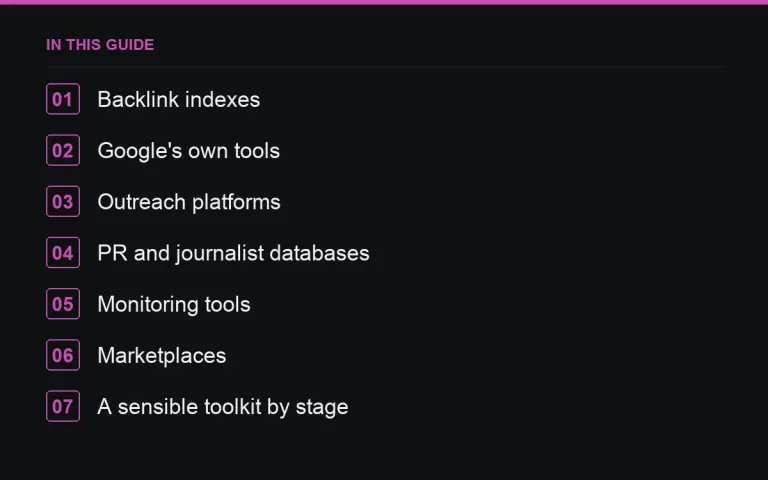
1. Backlink indexes
These are tools that crawl the web independently and report the links they find, along with authority scores and traffic estimates. This is the core tool for competitor analysis, prospecting and audits, and if you only buy one tool, it should be this category.
- Look for index size and crawl freshness — an index that only updates monthly will miss recent changes.
- Check it reports referring domains separately from total backlinks, since domain count matters more for most decisions (referring domains vs backlinks).
- Lost/new link tracking and historical trend data matter more than most buyers expect at first.
- Pick one as your “source of truth” so metrics are comparable over time — switching tools resets your baseline, because no two tools calculate authority scores the same way (DR vs DA: what each metric actually measures).
2. Google’s own tools
Search Console costs nothing and is essential regardless of what else you use: the links report, manual actions, indexing status and search performance all live there and nowhere else (using the Search Console links report). Treat it as a baseline layer under whatever paid tool you choose, not an optional extra.
3. Outreach platforms
These handle email sequencing, contact finding and reply tracking for outreach campaigns at volume. They’re genuinely useful once you’re sending dozens of pitches a week and need to track opens, follow-ups and responses in one place. For a handful of pitches a month, a normal inbox and a spreadsheet do the job just as well, and outreach platforms can push you toward templated messages that recipients recognise instantly — the technology doesn’t fix a weak pitch (outreach email templates that don’t sound like templates).
4. PR and journalist databases
These aggregate journalist contacts, beats and live request feeds for digital PR work — useful if you’re pitching press regularly and need to know who covers your space (journalist outreach that gets replies). If PR is occasional rather than a core activity, the free journalist-request platforms cover most of the same ground (journalist request platforms).
5. Monitoring tools
This category covers brand mention alerts, rank tracking and lost-link alerts. They’re what turn link building from a one-off project into an ongoing practice, because they tell you when something changes without you having to check manually (monitoring lost backlinks).
6. Marketplaces
For paid placements, a marketplace combines publisher discovery, transparent metrics, ordering and payment protection in one place, instead of you emailing publishers cold and hoping the invoice matches what was agreed. The Digital PR marketplace includes escrow — funds release only once you’ve approved the live URL — plus weekly monitoring on completed orders, so the “did this link survive” question from the monitoring category above is partly answered automatically for anything bought through it.
A sensible toolkit by stage
| Stage | Toolkit |
|---|---|
| Starting out | Search Console + one backlink index + a spreadsheet |
| Growing | Add rank tracking, brand monitoring and a marketplace |
| Agency / scale | Add an outreach platform and a PR/journalist database |
Resist the urge to buy the “growing” or “agency” toolkit before you actually have the volume of work to justify it — an unused subscription doesn’t build any links.
Signs you have the wrong toolkit
- You’re paying for two backlink indexes and never comparing their numbers against each other.
- Your outreach tool sends more emails than you personally read replies to.
- You have monitoring alerts set up but no process for acting on what they flag.
Free vs paid: where the line actually falls
It’s worth being clear-eyed about what free tools cover before paying for anything. Search Console, a spreadsheet and manual checks can genuinely run a small site’s link building program end to end — the paid layer starts to earn its cost once you need historical trend data, competitor comparisons at scale, or automation across dozens of domains rather than one. If you’re not sure which tier you need, start free, track how often you hit its limits over a month or two, and upgrade only the specific category that’s actually constraining you.
Questions to ask before signing up for anything
- Will I use this weekly, or will it become another unused login?
- Does it replace an existing tool, or just duplicate one I already pay for?
- Is the data it provides something I’ll act on, or just something interesting to look at?
Where to go next
Once your toolkit is settled, put it to work: run a backlink audit, set up lost-link monitoring, and use your backlink index for competitor backlink analysis before your next campaign. And whatever tools you settle on, they still can’t build a placement for you — for that, either invest in outreach or use the marketplace to skip straight to vetted publishers.
Frequently asked questions
Which backlink tool is best?
It depends on your needs and budget. Choose one, use it consistently, and supplement with Search Console.
Do I need an outreach tool?
Only at scale. For a handful of pitches, a normal inbox and a spreadsheet work fine.
Why do backlink tools show different numbers?
Each crawls the web independently and counts links differently.
Put it into practice
Filter 54,483 websites by DR, traffic, niche and price, and order with escrow — you pay only after the link is live.
Browse the marketplace