Monitoring Lost Backlinks and Getting Them Back
Links disappear all the time. Most losses don't matter; a few do. Here's how to tell the difference and act fast.
Every site loses links: pages get deleted, sites close, articles get updated and their old links quietly disappear. Most of this is normal churn and not worth a second look. But some losses — a paid placement removed early, a strong editorial link lost in a redesign — are worth noticing quickly and fixing before the value is gone for good.
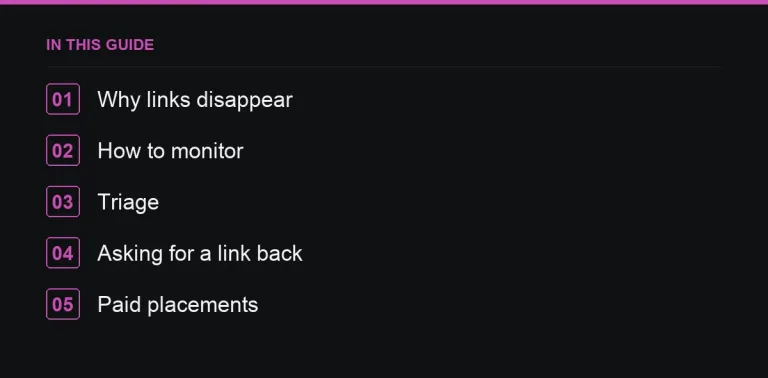
Why links disappear
Understanding the cause helps you decide whether to act at all:
- The linking page was deleted or moved without a redirect.
- The site changed owner, was redesigned, or shut down entirely.
- An editor updated the article and removed or replaced outdated links, including yours.
- A paid placement was removed after a fixed period, deliberately or by an oversight.
- Your own URL changed and broke the link on their end, which is on you to fix, not them.
The first three are largely outside your control. The last two are worth systematically monitoring for.
How to monitor losses
- Set up “lost backlinks” or “new/lost referring domains” alerts in your SEO tool so you hear about drops as they happen rather than months later.
- Keep a short list of your most important links — the ones that drive referral traffic or came from genuinely authoritative sites — and check them by hand monthly, since automated tools sometimes miss a link that’s technically still there but was changed to nofollow or moved off the visible page.
- For purchased placements specifically, record the live URL and the date it went live at the time of purchase, so you have evidence if you need to raise it later (what to check when your guest post goes live).
- Cross-check any drop against your own site changes first — a redirect chain or a botched migration can look exactly like a lost link when the fault is actually yours (protecting backlinks during a migration).
Triage: which losses are worth chasing
| Lost link | Worth recovering? |
|---|---|
| Strong editorial, relevant site | Yes — ask |
| Paid placement removed early | Yes — contact the publisher |
| Link pointing to your changed URL | Fix with a redirect (404 reclamation) |
| Scraper or low-quality site | No |
| Removed as part of a routine content refresh | Usually no — ask only if the link was central to the article |
How to ask for a link back
Editors update old content constantly, and most removals aren’t personal. A short, low-pressure message works better than a demand. Something like: “Hi [Name], I noticed [article] used to link to our [resource] and the link seems to have been removed in a recent update. If it’s still relevant for readers, here’s the current URL: [URL]. Thanks either way.” Keep the tone light — editors are entitled to update their content, and a graceful ask gets a better response rate than one that implies they owe you something.
When a paid placement disappears
If a placement was sold as permanent and was removed within a short window, contact the publisher directly with your order details and the original live date. Reputable publishers restore it without argument — this is exactly the kind of dispute that a marketplace’s order protection and live-URL verification exists to prevent, since the transaction only completes once you’ve confirmed the link is actually live. Repeated removals from the same site, on or off a marketplace, are a good reason to stop buying from it (scaling guest posting without losing quality) and to flag it during your next backlink audit.
Building resilience into new links
You can’t stop every loss, but you can reduce how much it costs you. Prioritise links from sites with a track record of stability over ones that look impressive but change ownership often, and diversify across enough referring domains that losing any single one barely moves your profile. A profile built entirely around a handful of “hero” placements is fragile by design.
What monitoring frequency actually makes sense
Daily checking is overkill for most sites and just creates noise; a monthly review of alerts, with a lightweight manual spot-check of your top ten links, catches almost everything that matters without turning into a full-time job. Ecommerce and news sites with fast-changing content may want to check weekly, since their linking pages churn faster than a typical blog or service business. Whatever cadence you settle on, write it down somewhere and actually stick to it — monitoring that only happens when someone remembers isn’t monitoring.
What “important” actually means for this list
- Links from sites with real, verifiable traffic and an editorial process, not just a high authority score.
- Links pointing at pages that matter commercially — service pages, cornerstone content, not a random blog post.
- Any paid placement still within its guaranteed or expected lifetime.
A shortlist of twenty to fifty links like this is manageable to check by hand; trying to manually track everything defeats the purpose of automation.
Where to go next
Pair this with a full backlink audit a couple of times a year, use Search Console’s links report as a free second data source, and read reclaiming links to your 404 pages for the specific case of links broken by your own site changes. When you’re ready to replace what you’ve lost, browse verified, monitored placements in the marketplace rather than starting outreach cold.
Frequently asked questions
Is losing backlinks normal?
Yes. Some churn is normal. Focus on losses from strong, relevant sites.
How do I know when I lose a backlink?
Use lost-link alerts in an SEO tool and periodically check your most important links manually.
Can I ask for a removed link to be restored?
Yes, politely, especially if it was removed accidentally during an update.
Put it into practice
Filter 54,483 websites by DR, traffic, niche and price, and order with escrow — you pay only after the link is live.
Browse the marketplace