Building Free Tools and Calculators That Earn Links
A good calculator solves the same problem thousands of times a month. That's why sites keep linking to it.
Free tools — calculators, converters, checkers, generators — solve a recurring problem instantly, without a signup form or a sales call in the way. That makes them among the most durable linkable assets around: once a tool ranks and gets used, it keeps earning links for years from blogs, forums and resource pages that recommend it to their own readers, long after you stopped promoting it.
Why tools outlast most content
An article gets read once and forgotten. A tool gets bookmarked, reused, and recommended whenever the underlying question comes up again — “what will my monthly payment be”, “how much paint do I need”, “is my SSL certificate about to expire”. Each of those questions repeats indefinitely, so a tool that answers it well keeps being useful indefinitely too. This is also why tools tend to attract links from a wider spread of sites than a typical guide: resource pages, forum replies, comparison articles and even other tools’ “see also” sections all point at the same utility because it solves the same recurring itch.
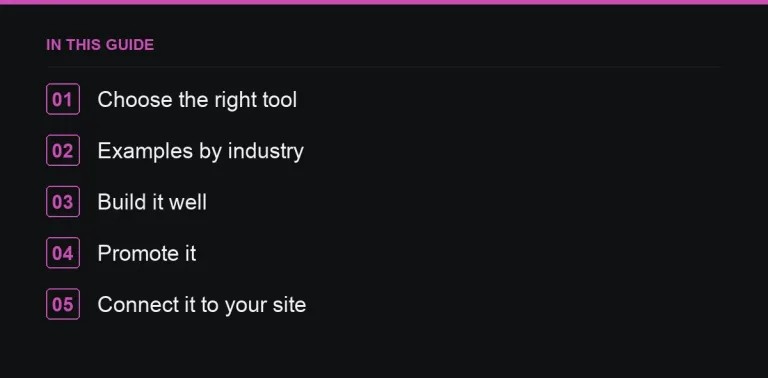
Choosing the right tool
- Solve a problem your audience has repeatedly, not a one-off edge case.
- Keep it simple enough to build and maintain without ongoing engineering effort.
- Connect it to your business logically — a mortgage lender’s affordability calculator, a paint shop’s paint-quantity calculator, a hosting company’s speed test — so the traffic it earns is relevant, not just large.
- Check search demand: does anyone actually search “[thing] calculator” or “[thing] checker”? If nobody searches for it, nobody will link to it either.
Examples by industry
| Industry | Tool |
|---|---|
| Finance | Loan repayment, savings, tax estimators |
| Home improvement | Paint, tile, flooring calculators |
| Fitness | Pace, calorie, heart-rate zone calculators |
| Marketing | UTM builder, ROI calculator, character counter |
| Web / hosting | SSL checker, DNS lookup, speed test |
| Legal / HR | Notice period, redundancy pay, holiday entitlement calculators |
Building it well
- Make it fast and mobile-friendly, and let it work without a sign-up — every extra step loses users and, with them, potential linkers.
- Explain the method and assumptions below the tool, so users and writers alike understand what it’s actually calculating.
- Add context around the result: what it means, and what to do next, rather than leaving a bare number on screen.
- Be honest about limitations, especially for financial or health-related tools, and say clearly when a result is an estimate rather than advice.
Promoting the tool
- Pitch resource pages that list tools in your niche — see resource page link building for how to find and approach them.
- Share it in forums and communities where the underlying problem comes up, helpfully and in context, not as a drive-by link (see forums and communities for link building on how to do that without getting banned).
- Reach out to writers who already cover the topic and might reference the tool in a future article.
- Use a small number of relevant placements from a marketplace of publisher websites to help the page establish enough initial authority to rank.
Connecting it to the rest of your site
Link from the tool page out to relevant guides and commercial pages, so the authority it accumulates flows onward rather than dead-ending — see internal linking for the mechanics. Equally, link into the tool from any content that naturally mentions the problem it solves; a tool with no internal links pointing at it will struggle to rank no matter how good it is.
Maintaining it over time
Tools rot quietly: tax bands change, formulas go stale, a dependency breaks on a browser update, and none of it necessarily throws a visible error. Review the tool at least annually the same way you would a statistics page, and watch for broken states in analytics — a sudden spike in users abandoning after the first input is often the first sign something’s wrong before a single complaint arrives. A calculator that silently gives wrong answers does more brand damage than one that’s simply outdated but clearly labelled as such, so build a habit of testing the actual output against known correct answers, not just checking that the page loads.
Measuring whether the tool is working
Track three things separately: usage (is anyone actually using it), links (is it being cited from other domains), and downstream conversions (does it send people toward a commercial page afterwards). A tool can succeed on the first measure and fail on the other two if it’s disconnected from the rest of your site, so revisit the internal linking around it regularly rather than treating the launch as the finish line. Compare its performance against other formats you’ve tried, using the same lens as reporting on digital PR beyond link counts, so you know whether building another tool is a better use of the next quarter than another article or data campaign.
Where to go next
If a full interactive tool is too much to build right now, a simpler linkable asset can earn similar links with less engineering. And once the tool is live, treat its promotion the same way you’d treat any other campaign — see reporting on digital PR beyond link counts to judge whether it’s actually working.
Frequently asked questions
Do I need a developer to build a calculator?
Simple calculators can be built with basic web skills or no-code tools; complex ones need a developer.
Should tools require sign-up?
No. Sign-up walls reduce usage and links.
How do free tools help commercial pages?
Through internal links from the tool page to related products or services.
Put it into practice
Filter 54,483 websites by DR, traffic, niche and price, and order with escrow — you pay only after the link is live.
Browse the marketplace