What Is Link Rot? Definition and Why It Matters
Links break over time as the web changes underneath them. Managing link rot protects both the links pointing at you and the ones on your pages.
Link rot describes the gradual process by which links stop working over time, because the pages they point to are deleted, moved without a redirect, or restructured so the original content no longer exists at that address. It’s a natural consequence of how the web evolves — sites redesign, businesses close, content gets reorganised — but it has real, measurable consequences for anyone relying on links, in either direction.
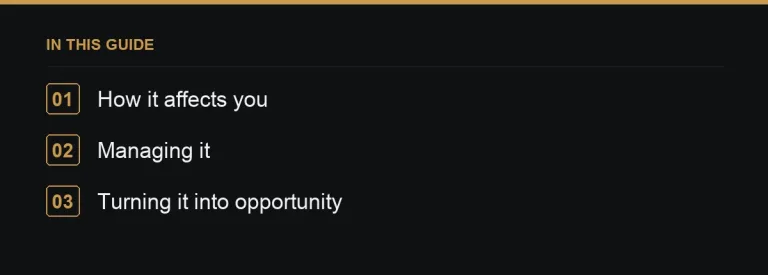
How link rot affects you in three distinct ways
- Your own backlinks can break when you change your URL structure without setting up redirects, silently erasing the value of links other sites built to you over months or years (reclaiming 404 links).
- Your outbound links break when the sources you cited disappear or move, leaving readers hitting dead ends and making otherwise well-maintained pages look neglected.
- Paid or earned placements can be lost entirely when a host site deletes an old post, redesigns without preserving URLs, or shuts down — taking your backlink with it (monitoring lost backlinks).
Why it’s more common than people expect
Sites redesign their URL structures for branding or technical reasons; content management platforms get migrated and old permalinks don’t survive the move; entire domains lapse when a business closes or a project is abandoned. None of these events are rare over a timeframe of several years, which is why any backlink profile built up over time will naturally lose a share of its links unless it’s actively monitored.
Managing link rot on your own site
- Keep URLs stable wherever possible — avoid restructuring paths purely for cosmetic reasons.
- When a URL genuinely must change, use a 301 redirect to the new location rather than letting the old one 404.
- Periodically scan your own content for broken outbound links to sources that have since disappeared, and either update or remove them.
- Monitor important backlinks so you notice quickly if a valuable placement disappears (Search Console links report).
A worked example
A site earned a strong backlink from an industry publication’s feature article several years ago. The publication later redesigned its site, and in the process, changed its URL structure without setting up redirects for its archive — every old article, including the one with the backlink, now returns a 404. Without active monitoring, this loss would go unnoticed indefinitely. Catching it means the site owner can reach out to the publication (many will happily fix a broken internal link once flagged) or pursue the value elsewhere.
Turning other sites’ link rot into opportunity
Link rot isn’t only a risk to manage defensively — it’s also the foundation of an entire proactive tactic. When other sites’ pages go dead, any links pointing at those dead pages become an opportunity: you can offer your own relevant content as a replacement to whoever is still linking to the broken resource (broken link building).
Related terms
301 redirect, expired domain, monitoring lost links.
Estimating your own exposure to link rot
A useful exercise is periodically running your existing backlink list through a checker to see how many still return a live, 200-status page rather than a 404 or redirect to somewhere irrelevant. Doing this on a schedule — rather than only after a major migration — surfaces gradual losses you might otherwise never notice, since individual pages going dark rarely trigger any obvious alarm on their own.
Archiving as a partial safeguard
Some site owners keep their own archived snapshots of key pages that have earned valuable backlinks, so that if the page is ever accidentally deleted internally, it can be restored quickly rather than left to rot. This is a modest, low-effort safeguard against self-inflicted link rot specifically, separate from rot caused by other sites changing on their end.
Link rot’s effect on evergreen content specifically
Content designed to be evergreen — a definitive guide meant to stay relevant for years — is disproportionately exposed to link rot simply because it has more time for the sources and backlinks around it to decay. Building a habit of revisiting genuinely evergreen pages annually, checking both their outbound citations and their known backlinks, keeps this category of content from quietly decaying despite its intended longevity.
Link rot and citation-heavy content
Research-heavy or statistic-heavy articles are especially vulnerable to link rot, since they typically cite many external sources, any one of which can move or disappear over time. Building a habit of periodically re-verifying citations in this kind of content protects both its usefulness to readers and its credibility, since a page full of dead citation links reads as neglected regardless of how good the original writing was.
Where to go next
Set up regular link monitoring so rot gets caught early, and when you need to replace lost value, browse fresh placements on the marketplace.
Browse every term in the link building glossary.
Frequently asked questions
How common is link rot really?
It's a routine feature of an evolving web — site redesigns, migrations and closures all contribute to a share of any backlink profile decaying over a period of years.
How do I protect my own backlinks from link rot?
Keep URLs stable, and always use 301 redirects rather than letting changed or removed pages return a 404.
Can link rot be turned into an opportunity?
Yes. Broken link building specifically targets other sites' dead pages, offering your own relevant content as a replacement to whoever still links to them.
Should I monitor my backlinks regularly, or only after a migration?
Regularly. Link rot happens gradually and continuously across the web, not only around your own site changes.
Put it into practice
Filter 54,483 websites by DR, traffic, niche and price, and order with escrow — you pay only after the link is live.
Browse the marketplace