What Is Crawl Budget? Definition and Why It Matters
Crawl budget only matters for large sites — but for those, wasting it means important pages get crawled late or missed entirely.

Crawl budget is the number of URLs a search engine is willing and able to crawl on your site within a given period. It’s a function of two things: how much crawling your server can handle without straining (crawl rate limit) and how much the search engine actually wants to crawl your content (crawl demand), which depends on how popular, fresh and well-linked your pages are.
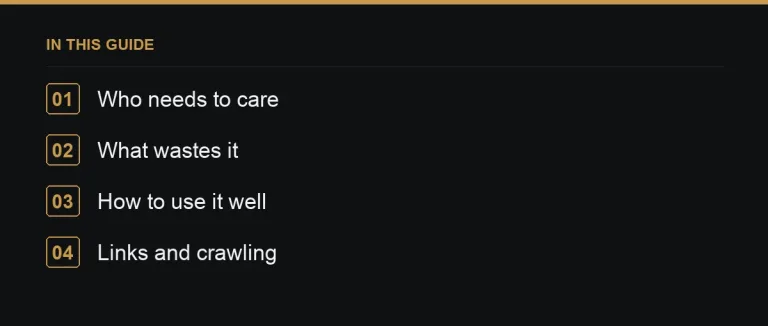
Who actually needs to care
Most small and medium sites don’t need to think about crawl budget at all. If you have a few hundred or even a few thousand well-organised pages, a search engine can crawl your whole site quickly and repeatedly without any special management. Crawl budget becomes a real constraint for large sites — tens of thousands of URLs or more — and for sites that generate many URL variations automatically, such as marketplaces, classifieds, and ecommerce stores with extensive filtering. A backlink marketplace with tens of thousands of publisher listings, for example, is exactly the kind of site where crawl budget deserves attention.
What wastes crawl budget
- Faceted navigation creating near-endless filter combinations — sort by price, then by rating, then by category, each producing a new crawlable URL (faceted navigation).
- Duplicate URLs with parameters — session IDs, tracking tags, and sort orders that all resolve to the same content.
- Long redirect chains and soft 404s, which force crawlers to make several requests to reach nothing useful (redirect chains).
- Thin or low-value pages that don’t need to be indexed at all (index bloat).
- A slow or unstable server, which reduces the crawl rate a search engine will risk using.
How to use your crawl budget well
| Action | Why it helps |
|---|---|
| Noindex or block low-value parameter URLs | Stops crawlers spending requests on pages you don’t want ranked |
| Keep XML sitemaps limited to canonical, indexable URLs | Signals exactly which pages deserve crawl attention (XML sitemap) |
| Link internally to important pages | Crawlers follow links to find and prioritise content (internal linking) |
| Keep the server fast and stable | A responsive server earns a higher crawl rate over time |
| Fix redirect chains | Fewer wasted hops per URL crawled |
Where backlinks fit in
Pages with more internal and external links tend to be crawled more often — search engines use links as one of the ways they discover and re-visit content. That’s one of the underappreciated benefits of guest posting and other link building: a new backlink doesn’t just pass authority, it can also nudge a crawler toward a page it might otherwise revisit only occasionally. This matters most for large sites publishing frequently, where getting new or updated pages crawled quickly is itself a competitive advantage.
A worked example
Picture a marketplace site with fifty thousand listing pages, plus filter combinations for category, price range and rating that multiply into several hundred thousand crawlable URLs. If the sitemap includes all of them and internal navigation links to every filter state, a search engine’s limited crawl budget gets spread thin — some listing pages might go weeks without a fresh crawl. Trimming the sitemap to canonical category and listing URLs, noindexing filtered views, and adding clear internal links from high-traffic hub pages to newer listings redirects that same crawl budget toward pages that actually need to rank.
Common mistakes
- Assuming crawl budget explains a ranking problem when the real issue is content quality or lack of relevant links.
- Blocking pages with robots.txt instead of noindex, which stops crawling but doesn’t guarantee removal from the index (robots.txt).
- Adding every possible URL to the sitemap “just in case,” which dilutes the signal the sitemap is supposed to send.
Server performance and crawl rate
Crawl rate limit is often overlooked in favour of talking purely about crawl demand, but server response time matters just as much. A search engine deliberately throttles how aggressively it crawls a site that responds slowly or returns errors under load, since it doesn’t want to knock a struggling server offline. Improving server response times and stability, particularly under concurrent requests, is one of the more mechanical but effective ways to expand the crawl rate a search engine is willing to allow, independent of anything to do with content or links.
Monitoring crawl activity over time
Rather than treating crawl budget as a one-off audit, track crawl stats in Search Console over months, watching for sudden drops in requests or spikes in errors after a deployment. A gradual decline in crawl requests to important sections, even without an obvious cause, is often an early warning sign worth investigating before it shows up as a ranking problem.
Where to go next
If you manage a large or fast-growing site, pair crawl-budget hygiene with a technical SEO checklist before investing in outreach, and check your Search Console links report to see how discovery is going. When you’re ready to build authority into well-crawled pages, browse the marketplace for relevant publishers.
Browse every term in the link building glossary.
Frequently asked questions
Does crawl budget matter for small sites?
Rarely. It mainly matters for large sites with tens of thousands of URLs or sites that generate many parameter or filter variations automatically.
How do I see how a search engine crawls my site?
Google Search Console's crawl stats report shows crawl requests, response codes and file types over time.
Can backlinks influence crawl frequency?
Yes, indirectly. Pages with more internal and external links tend to be discovered and revisited more often by crawlers.
Is crawl budget a ranking factor?
Not directly. It affects whether and how quickly pages get crawled and indexed, which is a precondition for ranking, not a ranking signal itself.
Put it into practice
Filter 54,483 websites by DR, traffic, niche and price, and order with escrow — you pay only after the link is live.
Browse the marketplace