What Is an XML Sitemap? Definition and Why It Matters
An XML sitemap is a list of the pages you want found. Keep it clean and it helps discovery; fill it with junk and it just adds noise.

An XML sitemap is a structured file listing the URLs on your site that you want search engines to discover and crawl, typically alongside metadata like last-modified dates and, on larger sites, priority hints. It functions as a direct signal to search engines rather than relying purely on them finding pages by following links.
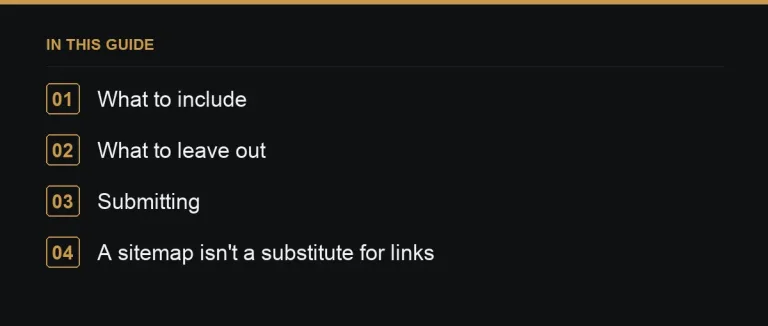
What to include
- Canonical, indexable URLs only — never duplicates or parameter variations (canonical tags).
- Important pages, especially ones buried deep in your site structure that might otherwise take longer to be discovered through links alone.
- Accurate last-modified dates, which help search engines prioritise recrawling genuinely updated content over unchanged pages.
What to leave out
- Noindexed, redirected, or 404 URLs — including any of these in a sitemap sends a mixed signal and wastes crawl attention.
- Parameter and filtered duplicates generated by faceted navigation or tracking tags.
- Thin pages you don’t actually want indexed, which contribute to index bloat if included.
Submitting and maintaining a sitemap
Submit your sitemap directly in Google Search Console, and reference its location in your robots.txt file so other crawlers can find it automatically (robots.txt). Large sites typically split content across several sitemap files — one for blog posts, one for product pages, and so on — tied together with a single sitemap index file. Whichever structure you use, treat the sitemap as a living document: remove URLs as they’re retired, and add new ones as they’re published.
A sitemap is not a substitute for links
Being listed in a sitemap helps a page get discovered and crawled; it does nothing on its own to help that page rank. Ranking, especially for competitive terms, still depends on the page’s content quality, its internal link support, and — for many topics — the backlinks pointing at it from other relevant sites. A page can sit in a sitemap indefinitely and never rank if nothing else on the web (or on your own site) treats it as important (orphan pages).
A worked example
A publisher relaunches its blog and generates a sitemap automatically from every URL the CMS has ever created, including years of tag archive pages, author pages with a single post, and old filtered search results. The sitemap balloons to tens of thousands of low-value URLs, most of which were never meant to rank on their own. Trimming the sitemap down to genuine articles and core category pages — while noindexing the tag and filter pages separately — gives search engines a much clearer, smaller set of URLs to prioritise, and crawl activity on the pages that matter increases as a result.
Sitemap checklist
| Check | Why |
|---|---|
| Only 200-status, canonical URLs included | Avoids wasting crawl attention on dead or duplicate pages |
| Referenced in robots.txt | Makes the sitemap easy for any crawler to find |
| Split into logical files if very large | Keeps each file manageable and easier to diagnose |
| Updated automatically on publish/unpublish | Keeps the signal accurate without manual maintenance |
Sitemap priority and change-frequency tags
Older sitemap standards allowed priority and change-frequency values, but most major search engines have said they largely ignore these hints today, relying instead on their own signals to judge importance and freshness. It’s fine to omit them entirely in a modern sitemap; focus your effort on keeping the URL list itself accurate rather than fine-tuning fields that carry little practical weight.
Image and video sitemaps
Beyond standard page sitemaps, dedicated image and video sitemap formats exist for sites where visual or video content is a meaningful part of their search visibility. These are worth setting up specifically if a meaningful share of your traffic or business value comes through image or video search, rather than relying on the standard page sitemap alone to surface that content.
Sitemap errors reported in Search Console
After submitting a sitemap, review the errors and warnings Search Console reports against it rather than assuming submission alone means everything is being read correctly. A sitemap containing URLs that error out, redirect, or return the wrong status code is flagged there, and cleaning up those specific entries is usually a quick, high-value fix.
Sitemaps for content behind a paywall or login
Sites with a mix of free and gated content need to think carefully about whether gated URLs belong in the public sitemap at all, since including them may encourage crawling and indexing of pages a visitor can’t actually access without paying or logging in, creating a frustrating experience if they arrive from search expecting open content.
Reviewing sitemap coverage after any major content migration is worth adding to a standard launch checklist, since sitemaps generated automatically from an old system don’t always transfer cleanly to a new one.
Where to go next
Pair a clean sitemap with solid internal linking and, when you’re ready to build authority into your best pages, look for relevant publishers on the marketplace.
Browse every term in the link building glossary.
Frequently asked questions
Do I need an XML sitemap for a small site?
It's recommended for every site, and especially valuable for large sites or pages that are hard to reach through normal browsing links.
Does having a sitemap improve rankings directly?
No. It helps discovery and crawling, not ranking. Rankings still depend on content quality, internal linking and backlinks.
Should redirected or 404 URLs stay in the sitemap?
No. Remove them as soon as they change status; leaving them in sends a misleading signal about what's actually live.
Can a sitemap be too large to be useful?
Yes. Bloated sitemaps full of low-value URLs dilute the signal; keep them limited to canonical, genuinely indexable pages.
Put it into practice
Filter 54,483 websites by DR, traffic, niche and price, and order with escrow — you pay only after the link is live.
Browse the marketplace