Using API and CSV Exports in Agency Link Building Workflows
Where API access and CSV exports save real time in agency link building work, and where a manual process is still fine.

Agencies running link building for more than a handful of clients hit a point where manual, per-client research and reporting stops scaling. API access and CSV exports don’t replace the judgment calls in the work, but they remove a lot of the repetitive data-pulling that eats account management time without adding client value.
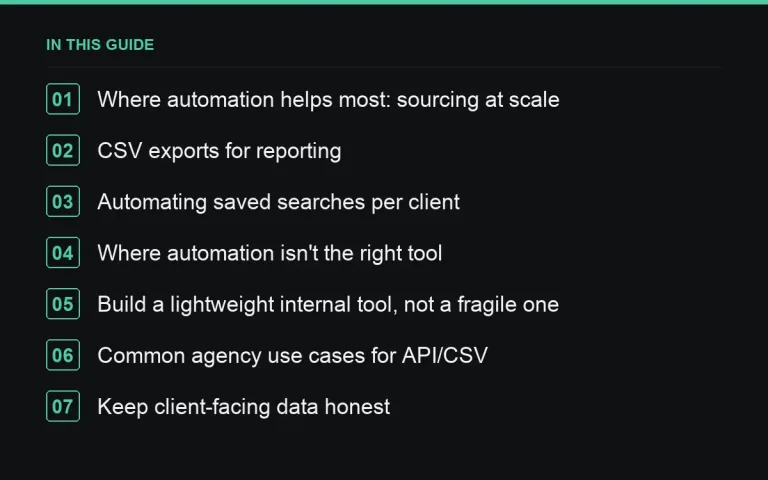
Where automation helps most: sourcing at scale
Manually browsing a marketplace listing by listing works fine for one client with a small monthly volume. Once you’re sourcing for a dozen clients across different niches, pulling site data via the API against your standard quality thresholds is far faster than repeating the same manual filter process for every account, and it’s easier to keep consistent across the team.
CSV exports for reporting
Exporting placement data (site, metrics, publish date, status) directly rather than re-typing it into a report template removes a common source of manual transcription errors — a mismatched DA number or wrong publish date is a small mistake that still undermines client trust when caught. Build a simple template that ingests a CSV export and formats it into your standard report layout.
Automating saved searches per client
Set up a saved search per account with that client’s specific quality thresholds and niche, and use the API or export function to pull fresh matches on a schedule rather than manually re-running searches. This is especially useful for clients with an always-on prospecting need rather than a one-off sourcing project.
Where automation isn’t the right tool
Content quality review, publisher relationship judgment calls, and anything involving reading a page for tone or brand fit still need a human. Don’t let the availability of automation push quality checks (like the ones in our QA checklist) into a purely mechanical pass — a script can confirm a link is live; it can’t judge whether the surrounding content reflects well on the client.
Build a lightweight internal tool, not a fragile one
You don’t need a full engineering team to benefit from API access — a simple scheduled script pulling data into a shared spreadsheet is often enough for a small agency. Just make sure someone owns maintaining it; an unmonitored script that silently breaks is worse than no automation at all, since a stale report looks current when it isn’t.
Common agency use cases for API/CSV
| Use case | Benefit |
|---|---|
| Bulk site qualification against thresholds | Removes manual filter repetition per client |
| Monthly report data population | Reduces transcription errors, saves account manager time |
| Scheduled saved-search refresh | Keeps prospecting pipeline warm without manual re-runs |
| Cross-client dashboard for internal ops | Gives leadership a single view across accounts |
Keep client-facing data honest
Automated data pulls are only as trustworthy as their source. Make sure metrics shown to clients (traffic, DA/DR, spam score) come from a consistent, credible source across all reporting, not a mix of different tools with different methodologies from month to month, which creates confusing, inconsistent-looking numbers.
Review automated outputs with a fresh eye periodically
It’s easy to stop actually reading a report once its production is automated, trusting the pipeline implicitly. Schedule an occasional manual spot-check of an automated report against the underlying data, just as you would QA a placement, since automation can silently propagate an error (a wrong field mapping, a stale API key) for months if nobody looks closely.
Keep a manual fallback for when automation fails
Even a reliable automated pipeline occasionally breaks — an API rate limit, a changed data format, a service outage. Make sure whoever owns client reporting knows how to fall back to a manual pull if needed, so a deadline doesn’t get missed because the automated system had a bad day and nobody remembered the manual process underneath it.
Start small and prove the automation before expanding it
Rather than automating an entire workflow at once, pick one recurring, well-defined task — pulling fresh matches from a saved search against marketplace inventory, or populating the delivery table in a monthly report — and run it alongside the manual process for a month before fully switching over. This catches edge cases (a missing field, an unexpected format change) while the manual fallback is still in place, rather than discovering a gap when a client is waiting on a report.
Document who owns each automated process
An automation with no clear owner tends to silently break and stay broken, since nobody notices until a client asks why a report looks wrong. Assign a specific person to check each automated pull periodically, even briefly, as part of your broader SOPs, so reliability doesn’t depend on someone happening to notice a problem.
Where to go next
API and export tooling pay off fastest once you have the volume to justify them — see our scaling guide — and work best paired with the bulk domain check workflow for prospecting large lists efficiently.
Frequently asked questions
Do small agencies need API access?
Not always — a two- or three-client agency can often manage manually. It starts paying off once sourcing and reporting for multiple accounts becomes repetitive enough to be worth automating.
Is CSV export enough, or is full API access necessary?
CSV exports cover most reporting needs; API access is more useful for ongoing, scheduled sourcing or for building an internal cross-client dashboard.
Can automation replace an account manager?
No — it removes repetitive data work, but relationship management, judgment calls and client communication still need a person.
What's the risk of relying too heavily on automated data?
Stale or unmonitored scripts can silently produce outdated numbers that look current. Assign clear ownership for checking that automated pulls are still working correctly.
Put it into practice
Filter 54,483 websites by DR, traffic, niche and price, and order with escrow — you pay only after the link is live.
Browse the marketplace