Site Security Basics for Publishers Accepting Uploads
Accepting outside submissions widens your site's attack surface; a few basic precautions cover most of the realistic risk.
Any site that accepts uploads from outside contributors — images, document drafts, sometimes direct submissions through a form — has a slightly larger attack surface than one that only publishes internally produced content. You do not need deep technical expertise to cover the realistic risks, but you do need a few consistent habits.
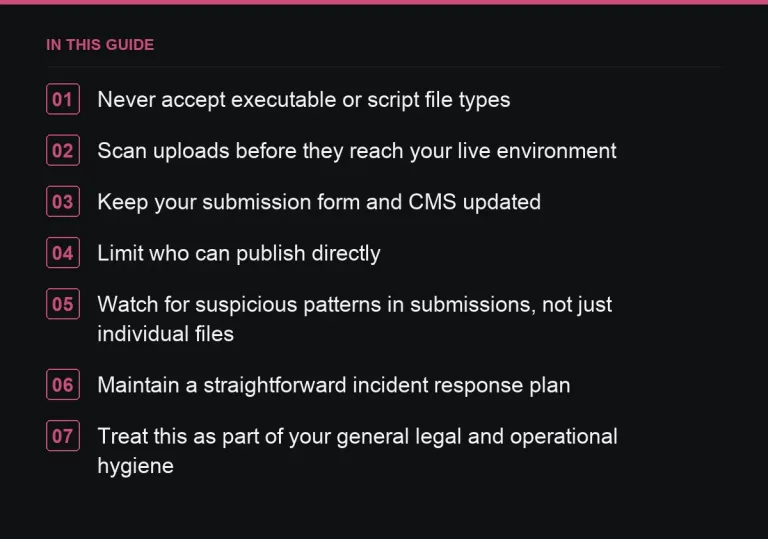
Never accept executable or script file types
Restrict uploads to specific, expected file types — images in standard formats, documents in plain text or common word-processing formats — and reject anything else outright, regardless of how the contributor explains why they need to send something unusual. This single rule closes off a large share of realistic upload-based risks.
Scan uploads before they reach your live environment
Most hosting platforms and content management systems offer some form of file scanning, either built-in or through a plugin or service. If yours does, keep it active, and if it does not, consider routing uploads through an intermediate step — such as a cloud storage service with its own scanning — before files land directly on your server.
Keep your submission form and CMS updated
Outdated plugins or themes handling file uploads are a common source of vulnerabilities, not because the core software is unsafe but because unpatched versions accumulate known issues over time. Treat your upload-handling components as a priority for regular updates, not an afterthought.
Limit who can publish directly
Contributors and guest authors should generally not have direct publishing access to your site. Route submissions through an editor who reviews and manually publishes, rather than giving outside contributors an account with publishing rights. This adds a human review step that catches problems a technical scan might miss, and it limits the damage any single compromised account could do.
- Restrict accepted file types explicitly, rather than allowing anything by default
- Scan uploads before they reach your live site
- Keep upload-handling plugins and your CMS core updated
- Give contributors review-only or draft-only access, not direct publishing rights
- Back up your site regularly, independent of any single incident
Watch for suspicious patterns in submissions, not just individual files
A contributor account submitting an unusual volume of content quickly, or content that seems designed to test what your system accepts rather than to be published, is worth a manual look even if no individual file trips a technical flag. This is a case where editorial review and security awareness overlap.
Maintain a straightforward incident response plan
If you discover a compromised upload or account, know in advance what your first steps are: disable the account, remove the affected content, check backups, and assess whether anything beyond the immediate content was affected. Having this written down before an incident happens means you are not improvising during the moment you can least afford to.
Treat this as part of your general legal and operational hygiene
Security basics sit alongside your other operational responsibilities as a publisher, including the general legal considerations covered in https://successtoroad.com/blog/legal-basics-for-publishers/. Neither replaces the other, but both benefit from being handled proactively rather than reactively.
Explain your security practices when it builds buyer confidence
You do not need to publish technical detail publicly, but being able to briefly explain your review and scanning process to a buyer, particularly one placing a larger order through https://successtoroad.com/marketplace/, can reassure them that their placement is going onto a well-maintained site rather than one vulnerable to compromise.
Do not treat security as a purely technical problem
Many of the actual risks in accepting outside submissions are process risks as much as technical ones: who has publishing access, how quickly you notice an unusual submission pattern, whether an editor feels able to flag something suspicious without being second-guessed. Building this awareness into your editorial team’s normal habits matters as much as any specific tool or plugin you run.
Revisit access permissions when a contributor relationship ends
When a contributor or editor stops working with your site, remove or downgrade their access promptly rather than leaving an unused account active indefinitely. Dormant accounts with real permissions are an easy, avoidable risk that has nothing to do with the person’s intentions and everything to do with reducing the number of active credentials that could ever be compromised.
Back up before, not just after, a major change
Take a full backup before any significant CMS update, plugin change, or bulk import of contributor content, not only on a routine automated schedule. A recent, verified backup taken right before a risky change is the fastest way to recover cleanly if something goes wrong during that specific change, rather than relying on a scheduled backup that might be a day or more out of date.
Where to go next
Read https://successtoroad.com/blog/writing-contributor-guidelines/ for how to set upload expectations before contributors submit, and https://successtoroad.com/blog/image-and-copyright-rules/ for the licensing side of the same submission pipeline.
Frequently asked questions
What file types should we never accept from contributors?
Anything executable or script-based has no legitimate reason to be part of a guest post submission. Restrict uploads to standard image and document formats and reject everything else.
Should guest contributors have direct publishing access to our site?
Generally no. Route their submissions through an editor who reviews and manually publishes, which adds a useful review step and limits the impact of any single compromised account.
Do we need specialized security software to accept uploads safely?
Not necessarily. Many hosting platforms and content management systems include basic file scanning. Keeping that active and your software updated covers most realistic risk without additional investment.
What should our first step be if we discover a compromised upload?
Disable the associated account, remove the affected content, check your backups, and assess whether the issue extends beyond that single piece of content. Having this plan written down before an incident happens saves valuable time.
Put it into practice
Filter 54,483 websites by DR, traffic, niche and price, and order with escrow — you pay only after the link is live.
Browse the marketplace