How to Read a Backlink Report Without Getting Lost
Start with referring domains, then relevance and anchor text patterns — most other columns in a backlink report are secondary detail.
Open any backlink tool and you’ll see a wall of columns: DR, DA, traffic estimates, spam scores, first-seen dates, anchor text, link type. It’s overwhelming if you try to absorb all of it at once. Here’s a practical order to work through a report, focused on the questions that actually matter.
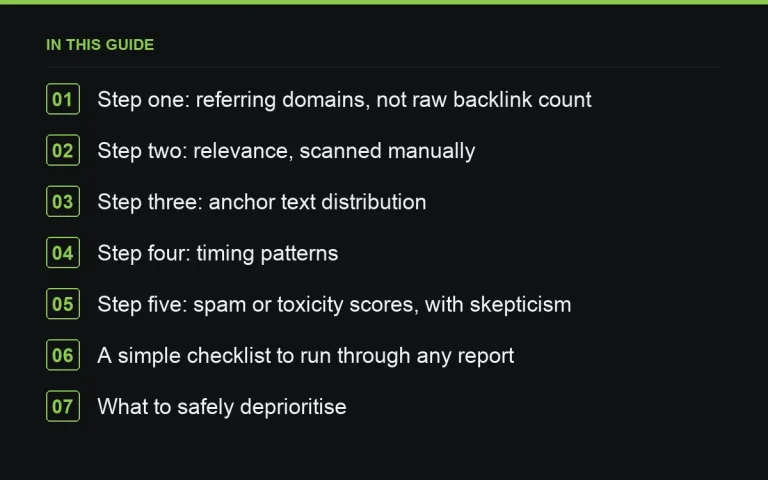
Step one: referring domains, not raw backlink count
Look at referring domains before raw backlink count. A hundred backlinks from three domains is a very different, much weaker profile than a hundred backlinks from sixty different domains. See https://successtoroad.com/blog/referring-domains-vs-backlinks/ for why this distinction drives most of the useful signal in a report.
Step two: relevance, scanned manually
No tool fully automates a relevance check. Skim the list of referring domains and ask: does this look like a set of sites that would plausibly cover my niche? A long list of unrelated, generic domains is a warning sign worth investigating further, regardless of what the authority scores say.
Step three: anchor text distribution
Check whether anchor text is varied — brand names, generic phrases, naked URLs, and occasional exact-match keywords — or overwhelmingly one repeated commercial phrase. The latter pattern is one of the clearest indicators of manufactured link building, whether it was done deliberately or inherited from a previous SEO effort.
Step four: timing patterns
Look at when links were acquired over time. A profile that grew gradually over years looks different from one where hundreds of links appeared in a single week. Sudden spikes deserve a closer look — they’re not automatically bad, but they’re worth explaining (a viral piece of content is a good explanation; an unexplained bulk link purchase is not).
Step five: spam or toxicity scores, with skepticism
Automated spam or toxicity scores are a useful starting filter but are frequently wrong in both directions — flagging fine links and missing genuinely poor ones. Use them to prioritise which links to manually review, not as a final verdict on their own.
A simple checklist to run through any report
- How many referring domains, and how does that compare to direct competitors?
- Does the list of domains look topically plausible for this niche?
- Is anchor text varied, or dominated by one phrase?
- Are there unexplained spikes in acquisition timing?
- Are the top few links (by authority) genuinely relevant, or just high-scoring and off-topic?
What to safely deprioritise
Traffic estimates on individual referring pages, precise DR/DA to the decimal point, and granular link-type breakdowns are interesting but rarely change a decision on their own. Don’t let a dense report distract from the handful of questions above.
Comparing your report against competitors
A backlink report becomes far more useful when read alongside the same report for two or three direct competitors. This tells you whether your referring domain count is genuinely low for your niche or actually reasonable, whether competitors lean more heavily on a particular link type you haven’t tried, and roughly what a realistic target looks like rather than an arbitrary number. When sourcing new placements to close any gap, https://successtoroad.com/marketplace/ lets you filter by the same niches and authority ranges your competitors’ links come from, which makes this comparison directly actionable.
Reading a report for a client or manager
If you’re presenting a backlink report to someone less familiar with the terminology, resist the urge to walk through every column. Summarise the handful of takeaways that actually matter — overall trend, relevance, any red flags — in plain language first, and keep the raw export available for anyone who wants to dig deeper. A report presented as an undifferentiated wall of numbers tends to create more confusion than clarity for a non-specialist audience.
Where to go next
Read https://successtoroad.com/blog/referring-domains-vs-backlinks/ and https://successtoroad.com/blog/dr-vs-da/ for the metrics behind these checks, https://successtoroad.com/blog/link-velocity/ for the timing dimension, and https://successtoroad.com/blog/documenting-links-you-build/ for keeping your own ongoing record alongside any third-party report.
Reading a report after a known negative event
If you suspect a specific link-related problem — perhaps after a sudden, unexplained ranking drop — read the report with a more targeted lens: look specifically for large clusters of similar, low-quality domains added around the same time, any links from domains that are now clearly repurposed or spammy compared to when they were acquired, and any unusual concentration of exact-match anchor text. This targeted read is different from a routine periodic review and is worth doing specifically when troubleshooting a known issue.
Building confidence in your own reading over time
The skill of reading a backlink report well improves substantially with repetition. The first few times, it’s normal to feel overwhelmed by the volume of data; after reviewing several reports across different sites and situations, patterns become much easier to recognise quickly, and you develop an instinct for what’s worth investigating further versus what’s simply normal background noise.
One final habit worth adopting: save a periodic snapshot export of your full backlink report, even when nothing seems urgent. Having historical snapshots to compare against makes any future investigation, whether routine or triggered by a problem, considerably easier than trying to reconstruct history from a single current-state report alone.
Frequently asked questions
Which single metric should I look at first in a backlink report?
Referring domains, rather than total backlink count, gives the clearest first read on how diversified and substantial a link profile really is.
Are automated spam scores reliable?
They're a useful first filter but not definitive — they both over-flag legitimate links and miss genuinely poor ones. Use them to prioritise manual review rather than as a final answer.
How do I know if an anchor text pattern is a problem?
If a large share of your external links use the exact same commercial phrase as anchor text, that's a pattern worth investigating, especially compared to a more natural mix of branded and generic anchors.
Should I worry about a sudden spike in new links?
Only if you can't explain it. A spike following a piece of content going viral or major press coverage is a good sign; an unexplained spike with no corresponding event is worth a closer look.
Put it into practice
Filter 54,483 websites by DR, traffic, niche and price, and order with escrow — you pay only after the link is live.
Browse the marketplace