How to Find the Right Contact for Link Outreach
A practical method for finding a real named contact instead of guessing at info@ addresses.
The single biggest lever in outreach reply rates is not the email copy, it is whether the email reaches a person who can actually say yes. A generic inbox forwards, ignores or auto-replies. A named editor with a stake in the site’s content decides in seconds whether to open your message. This post covers where to look and in what order.
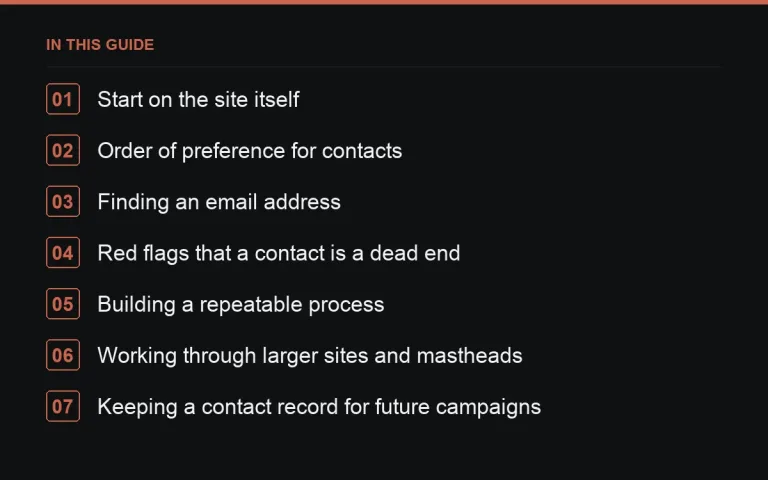
Start on the site itself
Most sites that accept guest content or corrections tell you, somewhere, who to contact. Check for a “write for us”, “contribute” or “contact” page before looking anywhere else. Many publishers list a specific editor for a given section rather than a single catch-all address.
Read the bylines
If there is no guidelines page, look at three or four recent posts in your exact topic area and note who wrote them. That person, or their section editor, is a far better first contact than a generic address, because they have already shown interest in the subject you are pitching.
Order of preference for contacts
- A named editor or writer covering your specific topic.
- A general editorial contact listed on a contribute or guidelines page.
- A site owner, for smaller independent blogs where the owner writes everything.
- A generic info@ or contact@ address, only as a last resort.
Finding an email address
Author bio boxes and “about” pages often list an email directly. Where they do not, the standard pattern used across most companies (first name at domain, or first dot last at domain) is a reasonable guess, and a bounce simply tells you to try the next likely pattern. Avoid contact-scraping tools that violate a site’s terms; a manual look at the page usually gets you there in under two minutes.
Social profiles as a backup channel
A writer’s public social profile linked from their author bio can confirm you have the right person, and occasionally is the fastest way to get a first response, particularly with smaller independent publishers who check email less often than a public inbox.
Red flags that a contact is a dead end
- The most recent post on the site is many months old.
- The only contact option is a form with no named recipient and no reply confirmation.
- The site’s “team” page lists roles but no names, and no author bylines appear anywhere.
None of these rule a site out entirely, but they should lower it on your priority list, because the odds of a timely reply drop sharply.
Building a repeatable process
For a list of any size, work through prospects in batches: confirm the site is genuinely relevant, find the named contact, record it, and only then move to writing the email. Doing all three steps prospect by prospect is slower than batching, because context-switching between research and writing costs time.
Working through larger sites and mastheads
Bigger publications complicate this because they have many writers, several editors, and a masthead page that lists roles rather than direct contact details. In that situation, narrow down to the specific section most relevant to your pitch first, then look for a section editor rather than trying to reach the editor-in-chief directly. A pitch that reaches the right section editor at a large site usually moves faster than one aimed at the top of the masthead, since section editors are the ones actually deciding what runs in their part of the site.
What to do when nothing on the site helps
Occasionally a site genuinely has no named contact anywhere, no bylines, no guidelines page, no team page. In that case, weigh whether the site is worth the extra effort of a generic-address attempt, or whether your time is better spent on the next prospect on your list. Not every site on a prospect list is worth chasing to the same degree, and recognising a dead end quickly is itself a useful skill.
Keeping a contact record for future campaigns
Once you have found a working contact for a site, save it somewhere durable rather than re-researching it for every future campaign. A simple spreadsheet column for confirmed contact details, alongside the outreach status fields covered in tracking outreach, turns a one-time research cost into a reusable asset for every subsequent pitch to that same site.
Verifying before you send
A quick sanity check, does the name match the byline, does the email domain match the site, catches the occasional stale contact page before it costs you a bounce. This matters more once you are sending in volume, where a high bounce rate can affect your sender reputation; see deliverability basics for why that matters.
Where to go next
Once you have a contact, the next decision is what to put in the subject line, covered in subject lines that get opened, and how to open the email itself in first-email structure. For the underlying method behind all of this, see https://successtoroad.com/blog/link-outreach-guide/. If contact-hunting for every single site sounds like more manual work than your timeline allows, https://successtoroad.com/marketplace/ lets you skip that step entirely by working with publishers who already list their terms.
Frequently asked questions
What if a site only has a contact form, no email address?
Use the form for the first message, but ask for a direct email in your message so future correspondence and any attachments do not have to go back through the form.
Should I email multiple people at the same site?
Generally no, at least not at the same time. Pick the most relevant single contact first; emailing several people simultaneously at one company can look uncoordinated and occasionally irritates the recipients.
Is it worth paying for a contact-finding tool?
For high volumes it can save time, but for a targeted list of a few dozen sites, manual lookup is usually just as fast and more accurate.
How do I know if an email bounced versus was ignored?
A bounce triggers an automatic delivery failure message back to your inbox, usually within minutes to hours. No such message means it was delivered, even if there is no reply.
Put it into practice
Filter 54,483 websites by DR, traffic, niche and price, and order with escrow — you pay only after the link is live.
Browse the marketplace