Outreach Deliverability Basics: Staying Out of Spam
The practical basics of keeping outreach emails out of spam folders, without needing to become an email infrastructure expert.
An outreach email that never reaches the inbox cannot get a reply, no matter how well it is written. Deliverability is a separate skill from copywriting, and a common reason a campaign underperforms even when the emails themselves are good. This post covers the practical basics without requiring deep technical expertise.
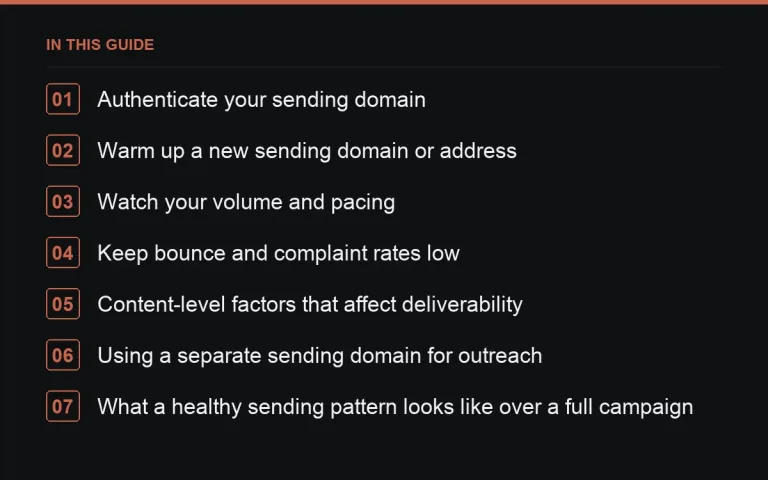
Authenticate your sending domain
Setting up SPF, DKIM and DMARC records for your sending domain tells receiving mail servers that your emails are legitimately from you, not spoofed. Most mail providers and outreach tools have straightforward guides for this, and it is worth doing once, early, rather than after deliverability problems appear.
Warm up a new sending domain or address
A brand-new domain or email address sending a large volume of cold emails on day one is a strong spam signal to mail providers. Start with a small volume and increase gradually over a few weeks, allowing your sending reputation to build before scaling up.
Watch your volume and pacing
Sending hundreds of near-identical emails within a short window, even from an established address, can trigger spam filtering or provider-level throttling. Spread sends out across the day and, for larger campaigns, across several days, rather than sending everything at once.
Keep bounce and complaint rates low
- Verify email addresses before sending where practical, to reduce hard bounces.
- Never continue emailing someone who has explicitly asked to stop.
- Avoid buying or scraping contact lists in bulk from disreputable sources; verified, individually-found contacts have far lower bounce rates.
A high bounce or spam-complaint rate damages your sender reputation across all future sends, not just the current campaign, so this is worth taking seriously from the start.
Content-level factors that affect deliverability
Spam filters weigh more than just sender reputation; certain words, excessive links, and unusual formatting in the email body can all raise a spam score. Keep outreach emails to plain text or simple formatting, limit the number of links (a cold first email rarely needs more than one), and avoid spam-trigger vocabulary discussed in https://successtoroad.com/blog/outreach-subject-lines-that-get-opened/.
Using a separate sending domain for outreach
Some teams running high-volume outreach use a secondary domain, distinct from their main company domain, specifically for cold outreach, so any deliverability issues from cold sending do not affect the primary domain’s reputation for regular business email. This is worth considering only once volume genuinely justifies the extra setup.
What a healthy sending pattern looks like over a full campaign
Rather than a single large burst at the start, a healthy pattern spreads sends across the working week, allows genuine gaps for replies and follow-ups to arrive before the next batch goes out, and scales volume up only gradually as a new domain or address proves itself with clean sending history. This measured pace also happens to align well with the realistic pace of personalised outreach itself, since writing genuinely specific emails at a slower, steadier rate is more sustainable than attempting a single enormous batch.
Using a dedicated inbox for outreach replies
Running outreach from the same inbox used for all other daily business email can make replies harder to track and can put your primary domain’s reputation at risk if something in the campaign goes wrong. A separate, clearly labelled inbox, even if it forwards summaries to your main one, keeps outreach traffic contained and easier to monitor for the specific deliverability signals covered below.
Testing your own deliverability
Before a large send, test a handful of emails to accounts you control across a few major providers to confirm they land in the inbox rather than spam or a promotions tab. This simple check, repeated occasionally as you scale, catches deliverability problems early rather than after a whole campaign has gone out with a hidden issue.
Signs your deliverability has already degraded
| Signal | What it suggests |
|---|---|
| Reply rate drops sharply with no change in copy quality | Emails may be landing in spam rather than being read and ignored. |
| Rising bounce rate over successive campaigns | List quality or verification process needs attention. |
| Recipients mention never having seen your email until a follow-up | The first email likely landed in spam or a promotions folder. |
Deliverability as an ongoing discipline, not a one-time setup
Authentication records, list hygiene and sending pace are not a task you complete once and forget; a sending reputation can degrade gradually through small, accumulated lapses, a slightly unverified list here, a slightly too-fast send there, long before any single obvious failure shows up. Treat deliverability as a standing item to check at the start of every new campaign, not a box ticked once when you first set up your sending domain.
Where to go next
See https://successtoroad.com/blog/tracking-outreach-in-a-spreadsheet-or-crm/ for logging bounce and reply data over time, and https://successtoroad.com/blog/outreach-legal-and-etiquette/ for the consent side of responsible sending. For the wider process, see https://successtoroad.com/blog/link-outreach-guide/. If maintaining sending infrastructure is more overhead than a small team wants to take on, https://successtoroad.com/marketplace/ sidesteps cold email entirely by connecting you directly with publishers.
Frequently asked questions
Do I need SPF, DKIM and DMARC for a small campaign?
It is good practice even at small volume, since deliverability problems are much easier to prevent early than to fix after your sending reputation has already been damaged.
How much daily volume is safe for a new email address?
Start conservatively, a small number of sends per day, and increase gradually over several weeks rather than jumping straight to a high volume.
Does using an outreach tool guarantee good deliverability?
No, tools can help with sending mechanics but cannot substitute for a genuinely engaged, verified list and reasonable sending volume; poor practices will still hurt deliverability regardless of the tool.
What should I do if my emails start bouncing more than usual?
Pause the campaign, review your list for outdated or unverified addresses, and check whether your domain's authentication records are still correctly configured before resuming.
Put it into practice
Filter 54,483 websites by DR, traffic, niche and price, and order with escrow — you pay only after the link is live.
Browse the marketplace