Images in Guest Posts: Sourcing and Rights
Using an image you don't have rights to can get a post pulled — or cost the publisher money. Here's how to do it right.
Images make guest posts more readable and more likely to be accepted, but they also create real legal risk when sourced carelessly. Publishers increasingly ask guest authors to confirm, in writing, that they hold rights to every image submitted — because it’s the publisher, not the guest author, who typically receives the takedown notice or licensing claim months later.
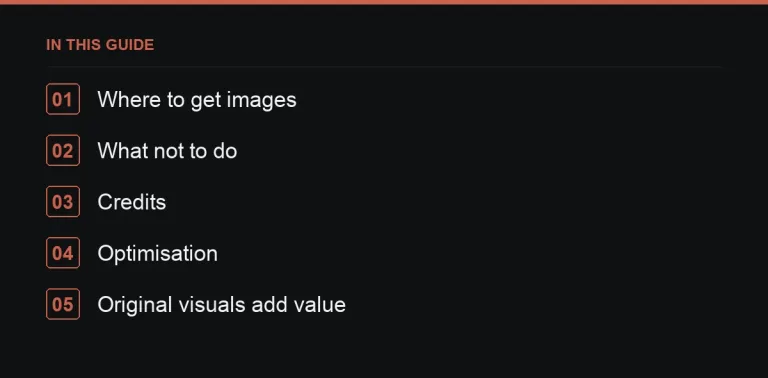
Where to get images you can actually use
- Your own — original photos, screenshots, or charts you created yourself. This is the safest option by far: it’s unique to your article and there’s no licence to track.
- Licensed stock — images from a stock library you’ve paid for, used strictly within that licence’s terms (some licences restrict editorial vs commercial use, or cap distribution).
- Free-licence libraries — check each individual image’s specific licence and any attribution requirement; “free” collections often mix licences within the same site.
What not to do
- Pull images from a search engine results page without checking who owns them or what licence applies.
- Use another brand’s product photography without permission, even if it’s easy to find.
- Remove watermarks, credits, or embedded metadata from an image to make it look like your own.
- Assume an image is free just because it appears on many other blogs — that’s often evidence of widespread infringement, not a free licence.
Crediting images correctly
Credit images exactly as the licence requires — some require a specific attribution string, a link back to the photographer, or both. If you later find other sites using your own original images without credit, that’s a legitimate opportunity to request a credit link back to you (image link reclamation), which turns a minor annoyance into a small link-building channel.
Optimisation before submission
| Step | Why it matters |
|---|---|
| Compress and resize | Large images slow the host page, which can hurt their rankings and your own link’s context |
| Supply WebP where supported | Smaller file size at similar quality |
| Use descriptive file names | Helps image search and site organisation |
| Write real alt text | Accessibility for readers using screen readers, plus a minor relevance signal |
Writing useful alt text
Alt text should describe what the image actually shows, in plain language, as if explaining it to someone who can’t see it. “Chart showing monthly search volume rising from January to June” is useful; “chart1” or a keyword-stuffed phrase unrelated to the image is not, and some publishers will edit it out entirely.
Original visuals as an asset, not just decoration
Charts, diagrams, and annotated screenshots you create specifically for the article do more than satisfy a publisher’s formatting preference — they make the article genuinely more useful, and original visual assets can themselves attract independent citations and links over time, separate from the guest post placement itself (visual assets and link building).
Working with a publisher’s own image library
Some publishers maintain their own licensed stock library or house photography and prefer to select images themselves rather than receive them from a guest contributor — this sidesteps rights questions entirely from their side, though it also means you have less control over how the article looks. If a publisher offers this, it’s usually worth accepting, since it removes one entire category of risk from the submission and speeds up their own review, even if it means your original visuals don’t make the final piece.
Screenshots deserve special care
Screenshots of software, dashboards or websites are common in guest posts and carry their own risks: they can expose real customer data, unreleased features, or another company’s interface in a way that looks like an endorsement you never had permission to imply. Blur or redact any personal or commercial data visible in a screenshot before submitting it, and where a screenshot shows a competitor’s or partner’s product, consider whether you actually need permission to include it or whether a simple description would do the job just as well.
Custom illustrations and diagrams
For process explanations or conceptual points, a simple original diagram often communicates faster than a paragraph of description and avoids the licensing question entirely, since you made it. It doesn’t need to be elaborate — a basic flowchart or labelled illustration built in any simple design tool is enough to make an article stand out from the plain-text submissions an editor sees most often, and it signals that real effort went into the piece rather than a rushed placement.
Charts made from your own data
When you build a chart from data you genuinely hold — usage patterns, survey responses, pricing trends you’ve tracked — state plainly and honestly where the numbers came from and roughly how they were gathered, even in a brief caption. This single sentence of context is often what separates a chart an editor trusts enough to publish from one they ask you to remove, since unexplained charts read as unverifiable claims rather than real data.
Where to go next
Image handling is one detail among several that determine whether a guest post is accepted smoothly — see also how topic (topics editors accept) and length (word count guide) affect acceptance, and how to check a live post once it publishes (live-post checklist). Many sites in the Digital PR marketplace note their image requirements directly on the listing.
Frequently asked questions
Can I use Google Images in a guest post?
Not without confirming permission from the actual rights holder first. Appearing in search results is not the same as being licensed for reuse.
What alt text should guest post images have?
A concise, accurate description of what the image shows, written for someone who can't see it — not a keyword phrase unrelated to the image.
Should I supply images or let the publisher choose?
Supply rights-cleared images yourself if you can; it speeds up publishing and removes any doubt about licensing.
What happens if a publisher finds an unlicensed image after publishing?
They will usually remove or replace it immediately, and repeated issues can get a contributor blacklisted from future submissions.
Put it into practice
Filter 54,483 websites by DR, traffic, niche and price, and order with escrow — you pay only after the link is live.
Browse the marketplace