How to Build a Calculator-Led Digital PR Campaign
Why calculators behave differently from other campaign formats, and how to build one that keeps earning links for years.
A calculator is the odd one out among digital PR formats. It rarely generates a wave of same-day press coverage the way a survey or a ranking does. Instead, it earns links slowly, over months and years, as bloggers, resource pages, and niche sites discover it and link to it as a useful tool. Building one means accepting a different timeline and a different measurement of success.
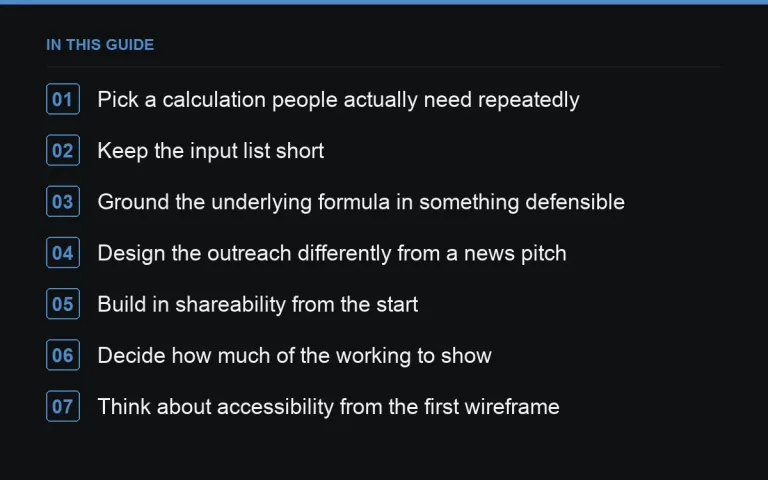
Pick a calculation people actually need repeatedly
The best calculator ideas answer a question people ask more than once, not a one-time curiosity. “How much X will I need for Y” or “what’s my Z score” tend to outperform novelty calculators, because they get bookmarked, shared in forums, and linked from resource lists over time rather than mentioned once in a news article.
Keep the input list short
Every additional input field is a chance for a user to abandon the tool before seeing a result. Aim for three to five inputs maximum for the default experience, with an “advanced options” toggle for power users who want more precision. This mirrors good https://successtoroad.com/blog/campaign-landing-page-design/ practice — reduce friction to the first meaningful interaction.
Ground the underlying formula in something defensible
If the calculator’s output relies on assumptions, publish them next to the tool, not buried in a footnote. A finance or health calculator especially needs this — see https://successtoroad.com/blog/campaigns-for-finance-brands/ and https://successtoroad.com/blog/responsible-health-campaigns/ for the extra care those topics require. An unexplained number invites distrust; a clearly sourced formula invites citation.
Design the outreach differently from a news pitch
Because calculators aren’t inherently “newsy,” a traditional journalist pitch often underperforms. Two approaches work better:
- Pitch a data story built from aggregate calculator outputs (e.g. “the average result across 10,000 uses was X”) once you have usage data.
- Target resource-page and “best tools for Y” link builders directly, rather than news desks, as part of an https://successtoroad.com/blog/evergreen-vs-one-off-campaigns/.
Build in shareability from the start
A results screen that generates a shareable image, a unique URL, or a simple percentile comparison (“you scored higher than most users”) gives people a reason to share their own result. This is what turns a calculator from a static tool into something with organic distribution beyond the initial outreach.
Decide how much of the working to show
Some calculators show only the final number; others show the full working, step by step, alongside the result. Showing the working tends to build more trust and encourages resource-page curators to link to the tool as an explainer, not just a utility — it signals the tool isn’t a black box. The trade-off is a slightly more complex results screen, so keep the detailed breakdown collapsed behind a toggle rather than forcing every user to scroll past it.
Think about accessibility from the first wireframe
A calculator is only as useful as the number of people who can actually operate it. Make sure inputs work with a keyboard alone, that error states are announced clearly rather than shown only as a colour change, and that the results update in a way assistive technology can read. This isn’t just good practice — a calculator that fails basic accessibility checks is also less likely to be linked from institutional or educational resource pages, which are exactly the kind of durable, high-authority links this format is meant to attract over time.
Test the tool with real users before wide release
A small round of usability testing with people outside the build team, watching them use the calculator without guidance, reliably surfaces confusing wording, unexpected input formats, or a results screen that doesn’t answer the question they thought they were asking. This step is cheap relative to the cost of discovering the same problems after launch, when confused early users leave without ever coming back to try again.
Plan for edge cases in the inputs
Users will inevitably enter zero, negative numbers, or implausibly large values, whether by mistake or curiosity. Decide deliberately how the tool handles each case — a clear validation message is far better than a broken calculation or a nonsensical result that undermines trust in the tool the moment someone tests its limits, which curious early users reliably do.
Maintain it — calculators rot
Tax bands change, currency conversions drift, benchmark figures age. A calculator built once and never revisited eventually gives wrong answers, which is worse for your reputation than never building it. Assign an owner to review inputs and assumptions at least annually, and treat significant updates as a chance to pitch it again, similar to https://successtoroad.com/blog/repurposing-old-campaigns/.
Where to go next
Once live, track backlinks over a longer window than you would for a news-driven campaign — see https://successtoroad.com/blog/measuring-campaign-links-and-coverage/ for how to set realistic timelines. For niche placement alongside the tool’s launch, https://successtoroad.com/marketplace/ and relevant https://successtoroad.com/niche/finance/ or https://successtoroad.com/niche/health/ publishers can add early visibility while organic links accumulate.
Frequently asked questions
How long before a calculator starts earning meaningful links?
Often three to twelve months, since discovery happens through search and resource-page curation rather than a single news cycle. Treat the first month as a soft launch, not a failure if links are slow.
Do calculators need a news hook to launch?
Not necessarily, but pairing the launch with one data-driven angle from early usage or related public data can accelerate initial pickup, similar to the approach in {{post:using-public-datasets-for-pr}}.
What's the biggest technical risk with calculators?
Formula drift — assumptions or reference figures becoming outdated without anyone noticing. Build a maintenance schedule into the project plan from day one, not as an afterthought.
Can a small team build a calculator on a limited budget?
Yes, if the scope stays narrow. A single well-executed calculation with a clean interface beats a multi-feature tool that takes twice as long and still has bugs at launch.
Put it into practice
Filter 54,483 websites by DR, traffic, niche and price, and order with escrow — you pay only after the link is live.
Browse the marketplace