Building an Anchor Planning Spreadsheet That Actually Gets Used
The single biggest reason anchor profiles drift toward over-optimisation is that nobody was tracking the running total.

Most anchor text problems don’t come from one bad decision — they come from dozens of individually reasonable decisions made without visibility into the running total. A simple planning spreadsheet, kept up to date as placements go live, is the cheapest way to prevent that drift.
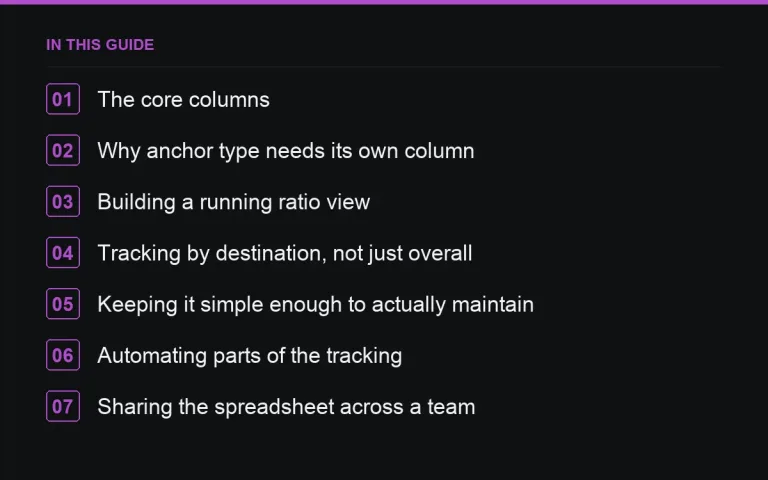
The core columns
- Destination URL — the exact page being linked to.
- Anchor text — the exact wording used.
- Anchor type — branded, partial match, exact match, naked URL, generic or contextual.
- Placement type — guest post or link insertion (see https://successtoroad.com/blog/anchors-guest-posts-vs-link-insertions/).
- Link position — in-content, sidebar, footer, bio.
- Publisher domain — so you can spot if you’re returning to the same site too often.
- Link attribute — sponsored, nofollow, dofollow, ugc (see https://successtoroad.com/blog/dofollow-nofollow-sponsored-ugc/).
- Date live — for tracking velocity over time.
Why anchor type needs its own column
Tracking only the literal anchor text hides the pattern — you might have thirty different exact strings that all functionally count as “exact match” or “partial match.” Categorising each one by type as you log it is what actually lets you see the ratio at a glance, rather than needing to manually re-read and reclassify everything at audit time.
A simple example row set
| Destination | Anchor | Type | Placement | Position |
|---|---|---|---|---|
| /features/reporting | a customisable reporting dashboard | Partial match | Guest post | In-content |
| / | Acme Analytics | Branded | Link insertion | In-content |
| /blog/invoicing-guide | acmeanalytics.com/blog/invoicing-guide | Naked URL | Guest post | Bio |
Building a running ratio view
A simple pivot or summary tab counting anchor type as a percentage of total links, updated automatically as new rows are added, is enough to catch drift early. Check it before commissioning each new batch of guest posts, not just at the end of a quarter — see https://successtoroad.com/blog/anchor-ratios-by-page-type/ for what a healthy split looks like for the specific page type you’re linking to.
Tracking by destination, not just overall
A site-wide ratio can look healthy while one specific page — say, a single feature page that’s had five identical exact-match anchors — is badly skewed. Add a per-destination view, or at minimum sort by destination URL periodically, to catch this kind of concentrated pattern that an aggregate view would miss.
Keeping it simple enough to actually maintain
A spreadsheet nobody updates is worse than no spreadsheet, since it creates false confidence. Keep the columns to what you’ll realistically fill in every time a link goes live, and assign one person as the owner responsible for logging each new placement as it happens, not in a batch weeks later.
Automating parts of the tracking
Once a campaign reaches meaningful scale, connecting the spreadsheet to a live backlink monitoring feed — even a simple scheduled export — reduces the manual burden of keeping the anchor-type column current, since new links can be flagged for classification as they’re discovered rather than added purely from memory of what was commissioned.
Sharing the spreadsheet across a team
If more than one person commissions placements, a shared, single source of truth prevents two people independently pushing exact-match anchors to the same destination without either realising the combined effect. Agree on the categorisation definitions up front so everyone logs anchor type consistently.
Adding a notes field for edge cases
A simple free-text notes column captures useful context a rigid set of dropdowns can’t — why a particular anchor was approved despite bending your usual ratio guidance, or a reminder that a specific publisher tends to adjust anchors after submission. These small notes save time during a future audit when you’re trying to remember the reasoning behind an older decision.
Version history and changed anchors
Since publishers sometimes adjust your requested anchor after publication (see https://successtoroad.com/blog/writing-brief-for-anchor-text/), it’s worth recording both the anchor you originally requested and the one that actually went live, rather than overwriting the request with the final result and losing the comparison entirely.
Using the spreadsheet to brief future writers faster
Once you have a substantial log of past anchors, it doubles as a quick reference when briefing a new writer — you can see at a glance which phrasings you’ve already used for a given destination and deliberately pick something different, keeping the wording fresh across an expanding set of placements.
Reviewing the spreadsheet before major campaigns
Before launching a new batch of placements, a quick scan of the existing log for the relevant destination pages helps confirm you’re not about to repeat an anchor phrasing or overload a page that’s already had recent attention, rather than discovering that overlap only once the new posts are already live.
Keeping the process consistent over time
Using the same categorisation definitions and the same audit checklist each time makes successive audits directly comparable, which matters more for spotting a genuine trend than any single audit’s absolute numbers do on their own.
Where to go next
Read https://successtoroad.com/blog/auditing-anchor-profile/ for how to turn this tracking into a periodic health check, and https://successtoroad.com/blog/anchor-text-guide/ for the underlying ratio principles this spreadsheet is meant to enforce. Browse https://successtoroad.com/marketplace/ to plan upcoming placements against your current tracked ratio.
Frequently asked questions
What's the minimum useful spreadsheet for anchor tracking?
Destination URL, anchor text, anchor type, and placement type is enough to start seeing patterns; add publisher domain and date as the campaign grows.
How often should I check the running anchor ratio?
Before commissioning each new batch of placements, not just at the end of a quarter, so drift gets caught while it's still easy to correct.
Should I track ratio site-wide or per page?
Both. A healthy site-wide ratio can still hide one badly skewed individual page, so a per-destination view matters too.
Who should own the anchor tracking spreadsheet?
One person, ideally, so new placements get logged consistently as they go live rather than reconstructed from memory later.
Put it into practice
Filter 54,483 websites by DR, traffic, niche and price, and order with escrow — you pay only after the link is live.
Browse the marketplace