The Weekly Link Monitor: What to Do When a Link Disappears
Backlinks do not always stay put; here is how the monitor catches it and what your options are afterward.
A completed order does not mean the job is finished forever — pages get redesigned, articles get archived, and links occasionally disappear months after a placement went live. The weekly link monitor exists to catch this automatically rather than leaving you to check manually.
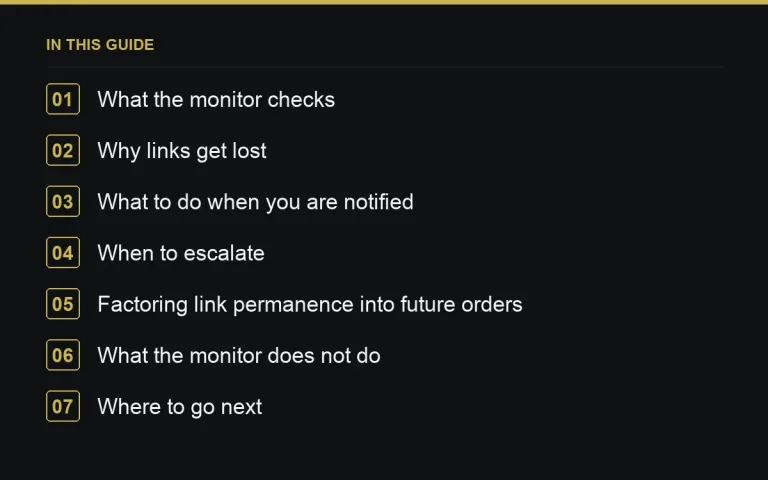
What the monitor checks
Once an order is marked completed, the weekly link monitor periodically revisits the live URL to confirm the page still exists and still contains your link. This runs in the background without any action needed from you, and you are notified if something changes.
Why links get lost
A lost link is not always a sign of bad faith. Sites redesign, archive old content, or restructure their category pages, and a link can disappear as a side effect of a change that had nothing to do with your specific order. It is worth keeping this distinction in mind before assuming the worst.
What to do when you are notified
Start with a message to the publisher — see https://successtoroad.com/blog/messaging-the-publisher/ — explaining that the monitor flagged the link as missing and asking whether it can be restored. Many publishers will happily fix this quickly, especially if the removal was incidental to a broader site change rather than deliberate.
Steps after a lost-link notification
- Confirm the page itself still exists, or check if it has moved to a new URL.
- Message the publisher directly to flag the issue.
- Give a reasonable window for a response before escalating.
- If unresolved, consider a dispute, particularly if permanence was part of the listing’s terms.
When to escalate
If a publisher does not respond, or refuses to restore a link that was part of the terms you paid for, this is a legitimate reason to open a dispute — see https://successtoroad.com/blog/opening-a-dispute/. Keep the monitor’s notification and your message history as part of the record.
Factoring link permanence into future orders
Some listings note a permanence guarantee as part of their pricing tier, discussed in https://successtoroad.com/blog/reading-a-listing-page/. If long-term link retention matters more to a given campaign, factor that into which listings and tiers you choose going forward, rather than treating every placement as equally durable.
What the monitor does not do
The monitor checks that your link is present on the completed order’s page; it is not a general SEO monitoring tool for your whole backlink profile or a substitute for your own site’s rank tracking. Treat it as one input into your ongoing link-building record-keeping rather than the whole picture.
Where to go next
For how funds and approval relate to a completed order in the first place, see https://successtoroad.com/blog/escrow-and-payment-release/, and for the full order lifecycle leading up to completion, read https://successtoroad.com/blog/order-statuses-explained/.
An example lost-link scenario
A publisher restructures their blog category pages six months after a completed order, and the article containing your link is moved without a redirect. The monitor flags it the following week, you message the publisher, and they either restore the redirect or re-place the link on the new page within a few days. Without the monitor, this kind of quiet loss could easily go unnoticed for months. The same monitoring applies automatically to every completed order placed through https://successtoroad.com/marketplace/.
It is worth checking your notification settings occasionally to make sure monitor alerts are actually reaching an inbox you check regularly, particularly if you manage several completed orders across clients.
What to do if the page moved rather than disappeared
Sometimes a flagged link has not vanished outright but moved to a new URL as part of a site restructure. In this case, ask the publisher to either add a redirect from the old URL or confirm the link is still present at the new one, since either resolves the underlying issue without needing a full new placement.
Keeping a simple record of which completed orders have needed this kind of fix over time can also help you judge which publishers maintain their site structure carefully versus which ones tend to generate more of this follow-up work.
A note on permanence expectations
If long-term permanence is critical for a specific campaign, factor that into which listings you choose up front rather than relying solely on the monitor to catch and fix problems after the fact.
Factoring monitor history into future decisions
If a particular publisher’s links are flagged by the monitor more often than others in your order history, that pattern is worth weighing when deciding whether to continue ordering from them, even if each individual incident was resolved reasonably well. A site with a habit of restructuring without redirects costs you more ongoing attention than one that rarely triggers a monitor alert at all.
A final note on peace of mind
Knowing the monitor is running in the background is often enough reason on its own to stop manually rechecking old orders yourself, freeing that time for prospecting new ones instead.
Frequently asked questions
How often does the link monitor check completed orders?
It checks on a weekly basis, confirming the placement page is still live and still contains your link, and notifies you if either has changed.
Does a lost link always mean the publisher acted in bad faith?
No. Links are often lost incidentally during a site redesign or content archive rather than through deliberate removal, so it is worth messaging first rather than assuming the worst.
What should I do first if the monitor flags a missing link?
Message the publisher directly to explain the issue and ask whether it can be restored, before considering escalation to a formal dispute.
Can the monitor track links outside of orders placed on Digital PR?
No, it applies to completed orders placed through the marketplace, not to your backlink profile generally or links acquired elsewhere.
Put it into practice
Filter 54,483 websites by DR, traffic, niche and price, and order with escrow — you pay only after the link is live.
Browse the marketplace