Templates and Checklists That Earn Links Because They Get Used
A template earns a link when someone uses it more than once, not just when they read it once.
An article gets read and, sometimes, linked to. A template gets used, reused, and shared with a colleague who then finds their own way back to the source — a different and often stronger link-earning pattern. The distinction matters when you’re deciding what to build: templates and checklists earn links through utility over time, not through being the most authoritative explanation of a topic.
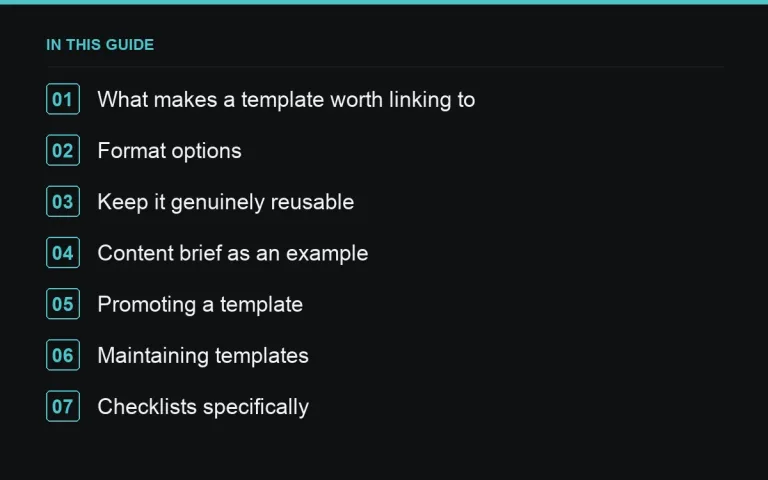
What makes a template worth linking to
A template earns links when it saves real time on a task people repeat often — an outreach email structure, a content brief format, a launch checklist. If the task is rare or trivial, a template adds little over just doing it manually, and there’s no reason for anyone to bookmark or share it. Look for tasks your own team repeats and has already semi-standardized; that’s usually a sign an outside audience repeats it too.
Format options
- On-page template — the full template rendered directly in the post as text, copy-pasteable without a download. Lowest friction, easiest to link to a specific section.
- Downloadable file — a spreadsheet or document version for people who want to edit it directly. Adds friction but signals more polish and is easier to share internally within a company.
- Checklist format — a sequential list of steps rather than a document to fill in, best for processes with a clear order like https://successtoroad.com/blog/link-building-checklist/.
Many posts offer both an on-page version and a download, which captures people who want to skim and people who want to actually use it.
Keep it genuinely reusable
A template that’s tightly tied to one specific scenario is less linkable than one with clear, labeled sections a reader can adapt. Write templates with placeholder brackets and short instructional notes rather than a single fully-worked example — the goal is for someone to open it, understand what each section needs, and adapt it to their own situation in minutes.
Content brief as an example
A content brief template is a good illustration of the format: sections for target keyword, audience, angle, competitor gaps, word count range, and required links, each with a short prompt explaining what goes there. That’s more useful to a marketing manager than a paragraph describing what a good brief contains, because it’s immediately usable. https://successtoroad.com/blog/content-briefs-for-writers/ goes into what belongs in a brief if you’re building your own version.
Promoting a template
Templates do well in communities and forums where people actively ask for one — participating there directly, rather than only publishing and waiting, tends to surface the exact audience looking for what you built (see https://successtoroad.com/blog/community-and-forum-links/). They also work well as content to place through guest posts, since a writer covering a process-heavy topic can link to your template as the practical companion to their advice — https://successtoroad.com/services/writing/ and https://successtoroad.com/marketplace/ are where to source those placements if you want to accelerate pickup beyond organic discovery.
Maintaining templates
A template built around a tool, platform or process that later changes needs updating faster than a general guide would, since the whole value proposition is that it’s usable right now. Check templates during your regular https://successtoroad.com/blog/content-audits-for-link-opportunities/ pass, and flag any that reference a discontinued feature or outdated field names.
Checklists specifically
Checklists work best for anything with a clear sequence and a real risk of skipping a step — pre-launch reviews, outreach campaign setup, onboarding a new writer. Keep each item short enough to scan in a few seconds, and group related items under sub-headings once the list passes ten or twelve items, so it stays usable as a reference rather than becoming a wall of text.
Testing a template before publishing it
Before publishing, hand the template to someone unfamiliar with the project and ask them to actually use it on a real task, rather than just reading it over. This surfaces confusing sections, missing fields and unclear instructions far more reliably than an internal review by whoever wrote it, since the writer already knows what each section is supposed to mean and can’t easily spot where an outsider would get stuck. This small step is one of the more reliable ways to catch the gap between a template that looks complete and one that’s actually usable by someone seeing it for the first time.
Versioning templates over time
As a template gets used and refined, consider whether to update the same file in place or maintain a version history that regular users can reference. For most audiences, updating in place with a visible “last updated” note is simpler and avoids fragmenting the links pointing at different versions, consistent with the general guidance in https://successtoroad.com/blog/content-refresh-cycles/ about keeping a stable URL through updates rather than creating a new page each time.
Where to go next
Pair a template with an interactive version where it makes sense — see https://successtoroad.com/blog/interactive-tools-for-content-marketing/ — and read https://successtoroad.com/blog/visual-content-and-charts-for-links/ for turning a checklist into an embeddable graphic. For the broader strategy, see https://successtoroad.com/blog/content-marketing-for-links/.
Frequently asked questions
Should templates be gated behind an email signup?
That's a trade-off: gating captures leads but reduces the sharing and linking that make templates valuable as a link-earning asset. If link building is the primary goal, an ungated on-page version usually outperforms a gated download.
What file format works best for downloadable templates?
Whatever your audience already uses day to day — a spreadsheet for anything with calculations, a document for anything text-heavy. Avoid formats that require software your audience is unlikely to have.
How do we know if a template is actually being used?
Downloads and repeat visits to the page are reasonable proxies, though not perfect. Direct feedback, such as people referencing the template in comments or emails, is a stronger signal than raw download counts.
Can a checklist and a template cover the same topic?
Yes, and they often complement each other well — a checklist for the sequence of steps, a template for the document or output each step produces. Link them to each other rather than merging them into one page.
Put it into practice
Filter 54,483 websites by DR, traffic, niche and price, and order with escrow — you pay only after the link is live.
Browse the marketplace